Home
» AI Image Generator
»
What to Check Before Using AI-Generated Images in an October Charity Campaign
What to Check Before Using AI-Generated Images in an October Charity Campaign
Before an October charity campaign goes live, check whether each image could mislead donors, whether you have the rights and permissions you need, and whether it works across the places you plan to publish it. An image can be visually polished and still imply a real beneficiary, event, or outcome that never existed. Treat it as campaign material that needs editorial review, not as a finished fact.
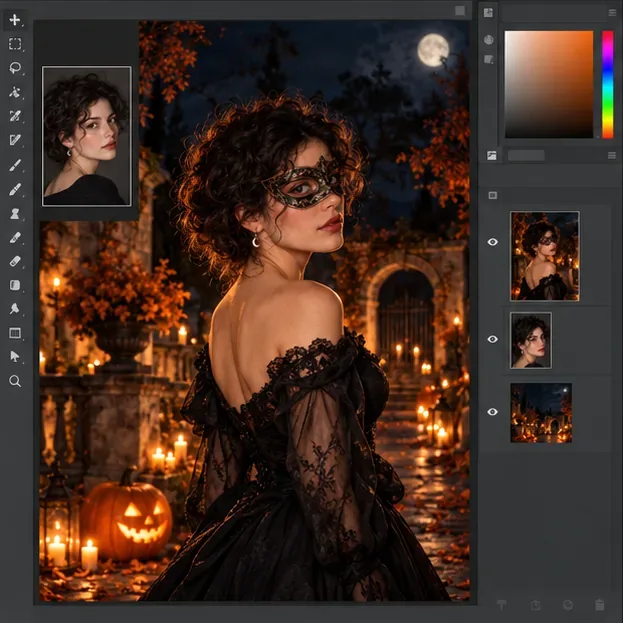
A reviewer examines an October community campaign proof alongside a consent form and seasonal leaves.
This checklist is written for U.S.-based organizations and general campaign planning. State fundraising rules, privacy requirements, platform policies, and contracts can vary. It is practical guidance, not a legal determination for a specific campaign.
Myth: If an image looks realistic, it is safe to present as a real campaign moment
What is verified: Advertising can mislead through implied claims as well as explicit wording. The Federal Trade Commission says advertising claims must be truthful and not deceptive. In a charity appeal, a realistic image of a child receiving a meal, a volunteer distributing supplies, or a family in crisis may suggest that the pictured person and event are real, even if the caption never says so. A small disclaimer may not undo a strong overall impression.
What to do: Ask a reviewer who did not create the image what they think it depicts. If they would reasonably read it as a documentary photograph, use an authentic, permission-cleared image or label the scene as illustrative in a clear place near the image. Keep the donation ask and impact claims tied to verified program information. See the FTC’s advertising and marketing guidance.
What depends on context: Whether disclosure is legally required depends on the image, surrounding copy, audience, jurisdiction, and channel. Even where a specific disclosure rule is uncertain, a clear “illustrative image” note can help preserve donor trust when realism might create a false impression.
Myth: A generated face is nobody’s likeness, so permission is never an issue
What is verified: The image may combine features that resemble an actual person, and some tools let users create or edit images from uploaded photographs. Separately, the Copyright Office’s January 2025 report says human authorship matters to whether AI-assisted output can receive U.S. copyright protection; simply supplying prompts does not automatically establish that authorship. That report addresses copyrightability, not every question about image rights.
What depends on context: The tool’s terms, the source material, the person shown, state law, privacy rules, and campaign setting can all matter. A tool’s permission to use an output does not necessarily clear someone’s likeness, a photographer’s work, a trademark, or other third-party rights. Do not assume that “made with AI” means “free of rights concerns.”
What to do: Avoid prompting for a recognizable real person or uploading a beneficiary’s photo unless your organization has confirmed the required permission and the tool’s data-use terms. Use a documented release for real people, including any extra safeguards your organization requires for minors. Keep the prompt, source files, tool name, output, edits, and approval record together. Review the Copyright Office’s summary of its AI copyrightability report, and ask counsel about a specific rights question.
Check that the image does not invent impact or distort the cause
An autumn scene can be decorative, but campaign imagery often communicates more than mood. A stock-like group portrait may suggest who receives services. A full pantry may imply current capacity. A stack of gift boxes may suggest how donations are used. A dramatic, distressed scene can exploit the people the organization serves or reinforce a stereotype.
Compare the image with the real program: who is served, what the campaign funds, when the event happens, where services are available, and what outcomes the organization can substantiate. Remove or revise details that imply a specific service, location, quantity, or result you cannot verify. The FTC also advises online giving portals to provide donors clear, truthful information about where contributions go; that transparency principle is relevant when a campaign image and appeal are presented together. Read its guidance on online charitable giving portals.
Check permission, licensing, and the tool’s terms
Before publishing, identify the exact model or service used and check the current terms for commercial or fundraising use, required notices, prohibited uses, and any limits on uploaded content. Terms change, and access through a workplace account may differ from a personal account. Save a dated copy or record of the terms you relied on.
Then inspect the image for recognizable characters, logos, branded products, public figures, or visual details copied from a source image. A prompt that names a popular movie character or asks for a living artist’s signature look may create avoidable rights or reputational problems. For an October campaign, original seasonal details—pumpkins, leaves, lanterns, a neighborhood event—can establish the theme without borrowing a protected character or brand.
Check privacy and dignity before uploading or publishing
Do not enter beneficiary names, case notes, health details, addresses, or identifiable photographs into an image tool until the organization has approved that data flow. Check whether prompts or uploads are stored, used to improve a service, or visible to other users under the tool’s current settings and terms. This is tool-specific; if the answer is unclear, use fictional, non-identifiable inputs and ask the organization’s privacy lead before proceeding.
Review the finished image for respectful representation. Ask whether the people shown appear to have agency, whether hardship is being used as spectacle, and whether a community member might feel caricatured. A staff reviewer familiar with the people or community represented can catch issues that a generic brand review misses.
Check the actual files people will see
Inspect details: Zoom in on hands, faces, signs, food labels, clothing, and background text. Remove artifacts, fabricated writing, or details that suggest an inaccurate setting.
Check the crop: Preview the square, vertical, and landscape placements you intend to use. Keep faces and key campaign elements away from crop edges, and make sure the donation link or call to action remains legible when added.
Check accessibility: Write concise alt text that describes the visible scene and the image’s role. Do not use alt text to make a factual claim the picture cannot verify. Check text contrast and provide the essential campaign details as real text, not only as lettering baked into an image.
Check channel rules: Review the current requirements for each social network, ad platform, email provider, and donation page. AI labels, ad review, and image specifications can differ and may change before October. Do not assume one platform’s treatment applies everywhere.
Myth: An AI label automatically fixes a misleading appeal
A disclosure can explain that a scene is illustrative, but it cannot make an unsupported claim accurate. Nor does a generic AI label tell donors whether a pictured person is a real beneficiary or whether a stated impact is true. Keep the image, caption, fundraising copy, and donation destination consistent. The FTC’s endorsement guidance also emphasizes honest, non-misleading endorsements; never pair a synthetic person with a quote or testimonial that readers could mistake for a real supporter’s experience. Review the FTC’s questions and answers on endorsements.
A quick approval checklist
The image’s implied story matches verified campaign facts.
Any illustrative scene that could be mistaken for a real event is clearly identified nearby.
People, source photos, marks, and other recognizable material have been reviewed for rights and permissions.
No sensitive personal information was uploaded without approval.
The image represents the community with dignity and avoids stereotypes.
Current tool terms and each publishing channel’s rules have been checked and recorded.
Alt text, contrast, crops, caption, donation destination, and final rendered versions have been reviewed.
A named staff member has approved the final files and saved the review record.
If any answer is uncertain, pause that asset and use a verified photograph with documented permission or a simpler graphic built from approved campaign facts. The goal is not to make every October image look documentary. It is to make sure donors can tell what is real, what is illustrative, and what their contribution will support.