Home
» AI Writer
»
AI Writing Checklist for October School Newsletters: Facts, Permissions, and Human Review
AI Writing Checklist for October School Newsletters: Facts, Permissions, and Human Review
An October school newsletter can look finished while still containing a wrong conference date, an outdated pickup instruction, or a student photo that should not be shared. AI can make a first draft sound polished, but polish is not proof. A reliable workflow treats the tool as a drafting assistant and keeps staff responsible for facts, permissions, and the final message.
Use the checklist below whether AI is rewriting a principal’s note, shortening event announcements, or organizing information from several staff members. Start with the simplest checks and add privacy and publication review before sending anything to families.
1. Gather approved source material before prompting
Begin with information the school has already approved: the current October calendar, office notices, event details from the responsible staff member, and any district-approved wording. Put the source and the person who confirmed it beside each important item. A date copied from last year’s newsletter is not a source for this year’s event.
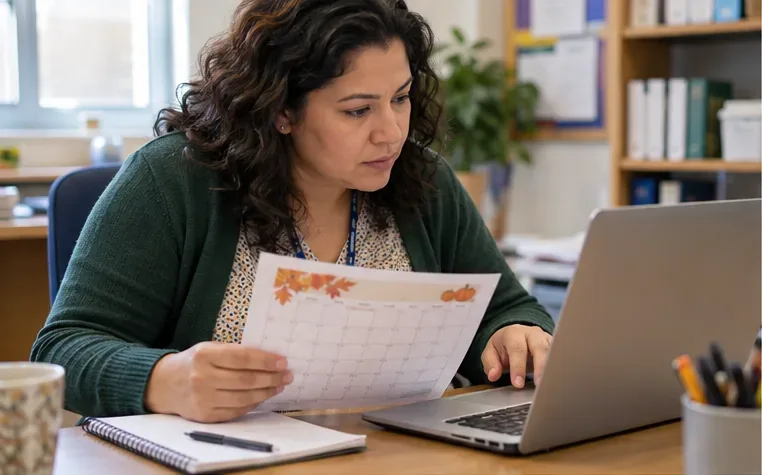
A staff member checks an October calendar beside a laptop before confirming newsletter dates.
Give the AI only what it needs to perform the writing task. A useful prompt might ask it to turn a verified list of events into concise family-facing announcements, preserve every date and location exactly, and flag missing details instead of filling them in. Do not ask it to invent a schedule or infer a deadline from context.
For each event, capture the essentials in a small source sheet:
Event name and intended audience
Confirmed date, start and end time, location, and whether families need to register
Any required action, contact method, and deadline
Source document or staff contact, plus the date it was checked
That sheet makes later fact-checking faster and helps the editor spot details that were never confirmed.
2. Verify every factual claim against its source
Read the AI draft line by line. Check names, dates, times, room numbers, grade levels, links, transportation instructions, and claims about what families should bring or do. Compare each item with the approved source, not with another AI answer. If the draft introduces a new detail, remove it or ask the responsible staff member to verify it.
October content often combines recurring activities with one-time changes. A yearly fall festival may keep its name but move to a different evening; a conference schedule may differ by grade; a no-school day can affect a recurring club. Keep a simple “claim → source → verified by” list for the issue. For a short newsletter, this can be a handful of lines in the editor’s notes rather than a formal spreadsheet.
Watch for confident-sounding filler: “all families,” “every classroom,” “doors open at,” or “registration closes” may not appear in the original notice. Replace broad wording with the confirmed fact, or leave the detail out. If two official sources disagree, pause publication and ask the office or event owner to resolve the conflict.
3. Protect student and staff information
Before using an AI service, check whether the district has approved it and whether its terms and settings fit the intended use. The U.S. Department of Education’s Student Privacy office advises teachers to check with school or district administration about tool approval; it also says school officials should consult IT representatives about privacy and security concerns. The agency’s explanation of FERPA’s school-official exception describes conditions for handling personally identifiable information, so do not assume that any public chatbot is approved for student information. See the Department of Education guidance on checking an online tool with school administration.
For routine newsletter drafting, the safer default is to remove personal details before prompting. Do not paste grades, behavior notes, disability or health information, family contact details, individualized education information, unpublished student schedules, or private staff matters into an unapproved tool. Replace a student’s name with a role or generic label if a sentence needs rewriting. If a draft needs student-specific content, use the district’s approved process and ask the privacy lead or administrator when uncertain.
FERPA treatment of photos and videos depends on context. The Department of Education says a maintained image may be an education record when it is directly related to a student, and describes factors such as making a particular student the focus; incidental background appearances are treated differently in its guidance. That nuance is not a reason to skip school rules or family permissions. Review the full FERPA FAQs on photos and videos, then follow district policy for releases, opt-outs, public events, and distribution channels.
4. Confirm image, quote, and permission rights
A family photo release, FERPA analysis, and copyright permission are related but separate checks. Confirm that the school may use the image in the specific channel planned—such as a public website, a password-protected portal, or an email sent to families. Check the current release or district process for the student and the intended type of use. If you cannot confirm, choose a different image, crop or blur only if policy allows, or publish without the image.
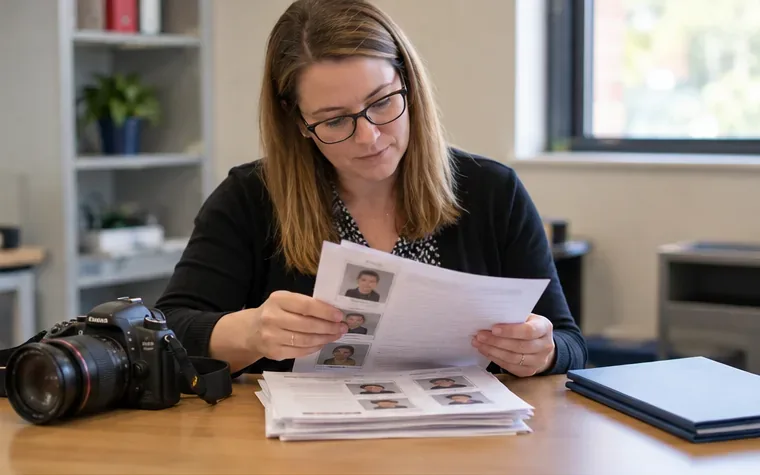
Photo paperwork should be checked against the intended audience and channel before an image is published.
Also confirm that the school owns or has permission to use every photo, illustration, logo, and quoted passage. Downloading an image from search results or seeing it in another school’s newsletter does not establish a license. The U.S. Copyright Office explains that original works are generally protected upon creation and that the photographer usually owns a photograph unless rights were transferred; fair use depends on the facts, not a simple percentage rule. Consult the Copyright Office’s fair-use FAQ and district guidance rather than treating classroom use as automatic permission for newsletter publication.
For quotes from students, families, or community members, verify the exact wording and the person’s approval for the planned publication. For AI-generated text, a human should still confirm that it does not fabricate a quote or imply that a person endorsed something they never reviewed.
5. Edit for families, then proof the final layout
After facts and permissions are settled, edit for the people who will read the newsletter. Use direct sentences, explain school-specific abbreviations, put the most useful action first, and make deadlines easy to find. Preserve the school’s tone without letting AI add exaggerated praise, promises, or a false sense of urgency. If families use translated versions, make sure the approved translation process is followed and that dates, names, and instructions remain consistent.
A marked proof helps an editor catch unsupported wording and layout problems before release.
Then review the actual email or page preview—not just the text pasted into the AI tool. Test links, inspect headings on a phone-sized screen, check image descriptions and contrast using school accessibility guidance, and confirm that attachments open. Make sure a caption identifies the event without exposing information the school has not cleared. A human reviewer should read the finished version aloud or slowly from top to bottom; small edits can accidentally change a date, negate an instruction, or leave a broken sentence.
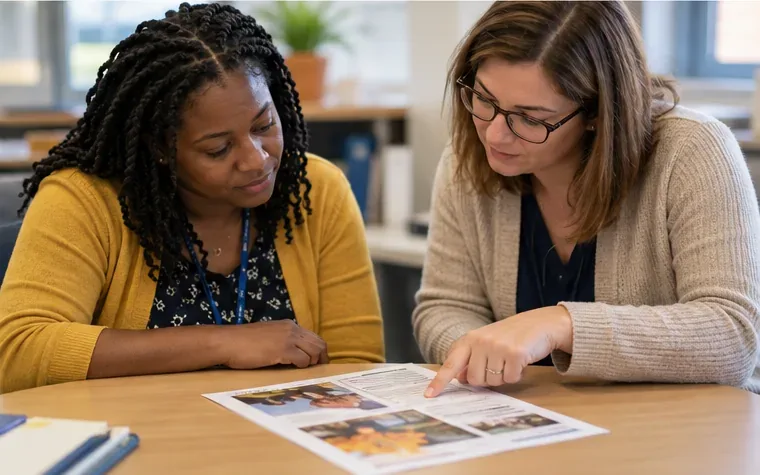
Two colleagues review the final newsletter together before it goes to families.
Final pre-send check
Before sending the October issue, ask:
Can every date, time, location, deadline, and instruction be traced to a current school source?
Did a staff member verify anything the AI added, summarized, or rephrased?
Was only information approved for the selected AI tool included in prompts?
Are student images, names, quotes, and other identifying details cleared for this audience and channel?
Does the school have the necessary rights to each photo and other reused material?
Has a human reviewed the final formatted version, links, accessibility, and tone?
If any answer is uncertain, hold that item and ask the responsible staff member, administrator, or district privacy/communications lead. The aim is not to make every newsletter sound machine-perfect. It is to use AI for a first pass while keeping people accountable for the details families rely on.