Home
» AI Agents
»
Step-by-Step Guide: Automating Weekly Competitor Monitoring Using AI Agents
Step-by-Step Guide: Automating Weekly Competitor Monitoring Using AI Agents
Competitor monitoring often fails for a simple reason: the research is scattered across too many tabs, too many people, and too many definitions of what counts as a meaningful change. One person checks pricing pages, another watches release notes, someone else scans industry news, and by Friday the team has a pile of links but no reliable answer to the question that matters: what changed this week, and does it matter?
An AI agent can reduce that manual work, but the agent is only one part of the system. A dependable weekly workflow also needs a source list, an evidence format, a previous-week baseline, a scheduler, and a human review step. If you skip those pieces, you can automate noise just as efficiently as insight.
This guide builds the workflow from the easiest decisions to the more technical ones. The concrete implementation uses the current OpenAI Agents SDK and GitHub Actions because their official documentation supports web search, structured outputs, tracing, and scheduled workflows. The architecture itself is vendor-neutral: you can replace either component if another agent runtime or scheduler fits your stack better.
What should a weekly competitor-monitoring agent actually do?
At minimum, the system should answer four questions: what changed, where the evidence came from, how the change differs from the last known state, and whether a person should care. “AI agent” here means an LLM-based workflow that has instructions and tools and can execute a sequence of actions toward a goal. OpenAI’s current Agents SDK describes agents in that same general way: a model configured with instructions, tools, and optional runtime behavior such as guardrails and structured outputs. See the official OpenAI Agents SDK documentation.
Do not design the first version to “monitor everything.” Start with a small scope you can still audit manually. Once you trust the pipeline, broaden it.
Step 1: Define the competitors, signals, and weekly questions
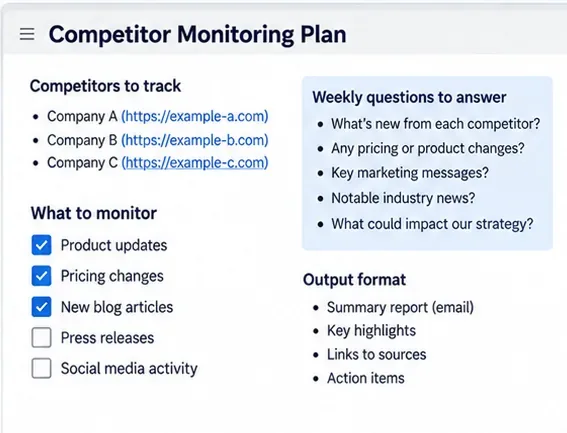
Create a monitoring brief before you write any agent code. For each competitor, decide which changes are worth reporting. Typical signals include public pricing changes, product launches, release notes, new integrations, positioning changes, important documentation updates, public partnerships, executive announcements, and major hiring patterns. The exact list should match the decisions your team actually makes.
A useful brief separates signals from questions. “Pricing page changed” is a signal. “Does the new plan make the competitor more attractive to small teams?” is an analytical question. The agent should collect the first and reason about the second only after it has evidence.
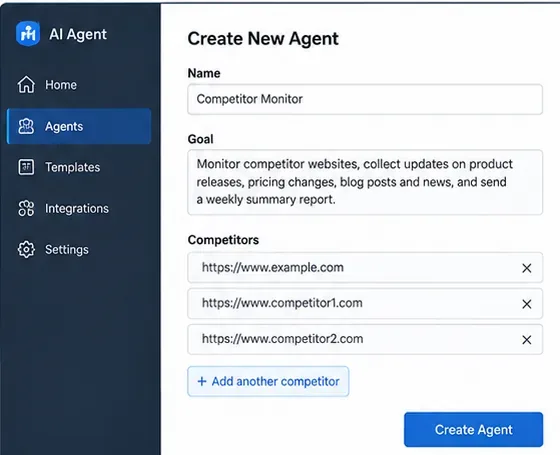
AI-generated conceptual illustration of a monitoring brief; not a screenshot of a real product.
For a first weekly run, write one sentence that defines success. For example: “By Monday morning, produce a source-linked summary of material changes from the previous seven days for five named competitors, with no unsupported claims.” That sentence becomes a practical acceptance test later.
Step 2: Build a source registry instead of relying on open-ended search
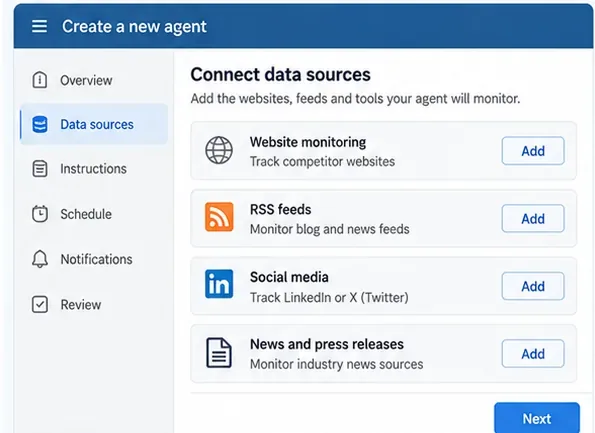
Web search is useful for discovery, but a monitoring system should not depend on search rankings alone. Build a small source registry with fields such as competitor, source type, URL, priority, expected update frequency, and what question the source can answer.
Signal
Preferred source
Why it is useful
Pricing
Official pricing and plan pages
Closest source to the current commercial offer
Product changes
Release notes, changelog, product blog
Usually gives dates and feature context
Positioning
Homepage, product pages, campaign pages
Shows how the company presents the product
Corporate news
Press room and company blog
Useful for partnerships, funding, leadership, and launches
Market context
Reputable public news sources
Adds independent context to first-party claims
Prefer public pages, official feeds, documented APIs, and sources you are authorized to access. Do not design the agent to bypass logins, paywalls, robots restrictions, or access controls. For social platforms, prefer official APIs or public feeds where available rather than brittle scraping.
AI-generated conceptual illustration of a source registry; use only sources you are permitted to access.
OpenAI’s current Agents SDK includes a hosted WebSearchTool for agents using OpenAI Responses models. The official tool documentation also distinguishes hosted web search from local function tools, which is useful if you want the agent to call your own URL fetcher, database, RSS reader, or change-detection service. See the official Agents SDK tools guide.
Step 3: Define the evidence schema before you ask the model to summarize
The easiest way to get inconsistent weekly reports is to ask for “a summary of competitor news.” Instead, define a structured finding. At minimum, every finding should contain the competitor, category, observed date, short summary, source URL, evidence excerpt or source note, and a confidence or review flag.
Add fields for previous_state and current_state when the signal can be compared directly, such as a plan price, feature availability, headline, or documented integration. This makes the report about change rather than about whatever the model happened to find that week.
Structured output also makes the workflow easier to test. The Agents SDK currently supports an output_type on an agent, and the official documentation recommends normal Python types such as Pydantic models or dataclasses for structured results. See the official agent configuration guide.
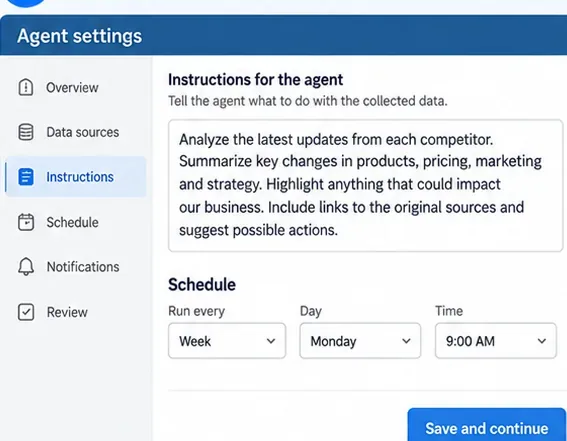
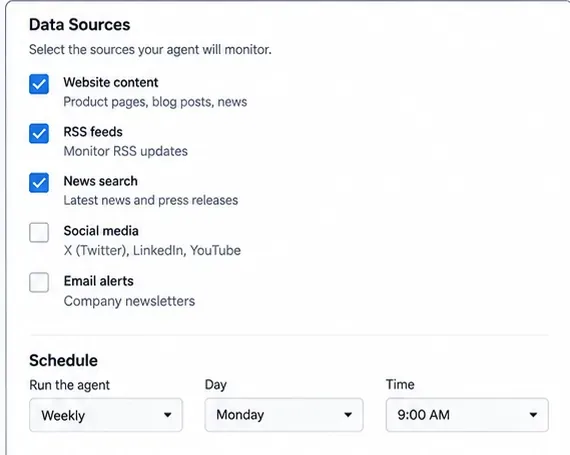
AI-generated conceptual illustration of agent instructions and scheduling; not a real product interface.
The last field is important. A good monitoring system should be able to say “no material change found” instead of manufacturing an update to fill space.
Step 4: Run a manual pilot before you automate anything
Run the workflow manually for one reporting period and compare the result with your own review of the same sources. This pilot reveals problems that are harder to notice after scheduling: stale search results, duplicate stories, an unclear category taxonomy, unsupported inferences, missing source URLs, and findings that are technically new but strategically irrelevant.
For each proposed finding, ask: is the source first-party or independently reputable, is the change inside the intended date window, can I point to the exact evidence, and would the same item be reported again next week if nothing changes? If the answer to the last question is yes, you still need a baseline or deduplication rule.
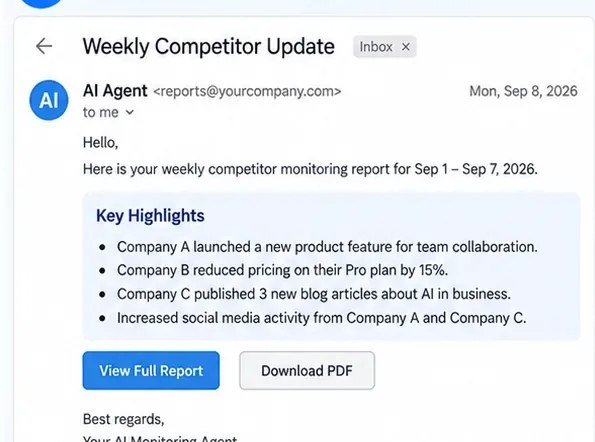
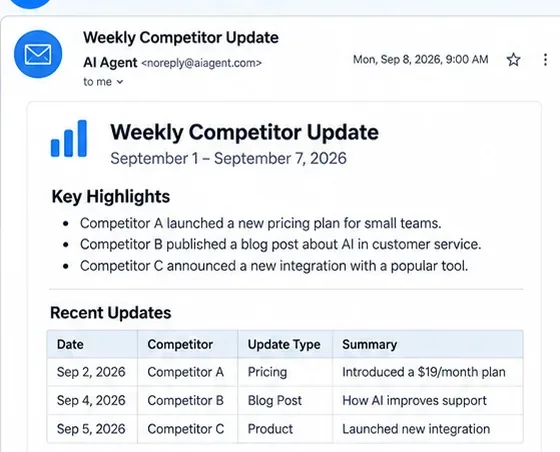
AI-generated conceptual illustration of a manual pilot report with evidence links.
Do not treat search snippets as the evidence record. Store the source URL and, where your terms and access rights permit, a normalized snapshot or extracted text used for comparison. Search should help locate evidence; it should not become a substitute for evidence.
Step 5: Implement the agent with web search, structured output, and a baseline
Once the manual pilot produces useful findings, wire the agent into code. As of September 2026, OpenAI’s Python Agents SDK can combine an Agent, hosted WebSearchTool, and structured output_type. The following example is intentionally small: it demonstrates the agent layer, not the storage layer.
from pydantic import BaseModel
from agents import Agent, Runner, WebSearchTool

class Finding(BaseModel):
    competitor: str
    category: str
    summary: str
    source_url: str
    evidence: str
    observed_at: str
    needs_human_review: bool

class WeeklyReport(BaseModel):
    findings: list[Finding]
    executive_summary: str

agent = Agent(
    name="Weekly competitor monitor",
    instructions=(
        "Monitor only the competitors and topics in the input. "
        "Use public web sources. Every finding must include a source URL "
        "and evidence. Prefer first-party sources for product and pricing claims. "
        "Do not invent a change when no material change is supported."
    ),
    tools=[WebSearchTool()],
    output_type=WeeklyReport,
)

result = Runner.run_sync(
    agent,
    "Review the configured competitors for the reporting window and return the report."
)

report = result.final_output
The package installation and runner pattern are documented in the official Agents SDK quickstart. The SDK also documents Runner.run_sync() as the synchronous wrapper around the normal agent run.
AI-generated conceptual illustration of an agent workflow; implementation details depend on your stack.
Add deterministic change detection where you can
Do not ask the model to rediscover every old state from memory. Persist a baseline. For each source, store the last successful observation: normalized text, a content hash, selected fields such as price or plan name, the observation timestamp, and the source URL. On the next run, compare the new observation with the baseline first. Then give the agent the difference to interpret.
This hybrid design is more reliable than “AI compares two entire websites” because deterministic code handles the exact comparison while the model handles classification, relevance, and explanation. If a page changes only its footer or tracking parameters, your normalizer can remove that noise before the agent sees it.
Step 6: Schedule the workflow weekly and keep credentials out of code
You can run the monitor from any scheduler that fits your environment. GitHub Actions is a practical option for a repository-based workflow. GitHub’s current documentation says scheduled workflows use POSIX cron syntax, run on the default branch, default to UTC, and can optionally specify an IANA timezone. GitHub also warns that runs can be delayed during high-load periods, especially around the start of the hour, so a minute such as 17 is preferable to 00 when exact top-of-hour execution is unnecessary. See the official GitHub Actions schedule documentation.
Store API keys as encrypted secrets rather than committing them to the repository. GitHub’s official secrets guide explains repository, environment, and organization secrets and recommends avoiding accidental disclosure in workflow logs.
AI-generated conceptual illustration of a scheduling layer; the article uses GitHub Actions as the concrete example.
One operational detail is easy to miss: GitHub says scheduled workflows in public repositories are automatically disabled after 60 days with no repository activity. If this workflow is mission-critical, monitor the monitor—record the last successful run time and alert when the expected weekly job does not complete.
Step 7: Put a human review gate between “finding” and “decision”
Weekly competitor monitoring is a read-and-summarize workflow, so it should not automatically change prices, publish content, or alter a product roadmap. A person should review material claims before they influence a decision. The review can be lightweight: approve, reject, merge with another finding, or mark as “watch next week.”
Require stronger review for high-impact categories such as pricing, legal claims, security incidents, layoffs, acquisitions, or statements that rely on third-party reporting. For product and pricing changes, prefer the competitor’s own page as the primary evidence even if a news story helped you discover it.
AI-generated conceptual illustration of the human-review stage before findings are shared or acted on.
If your implementation later adds tools that can take actions, the Agents SDK includes guardrails and human-in-the-loop approval mechanisms. The official guardrails documentation describes input, output, and tool guardrails, while the human-in-the-loop guide explains pausing sensitive tool calls for approval.
Step 8: Track trends, trace failures, and self-check the system
A useful weekly report becomes more valuable after several runs because you can distinguish isolated events from patterns. Store each approved finding in a simple table or database with competitor, category, date, source, and review status. Then you can answer questions such as which competitor changed pricing most often, which themes recur in release notes, or which monitored sources are no longer producing useful signals.
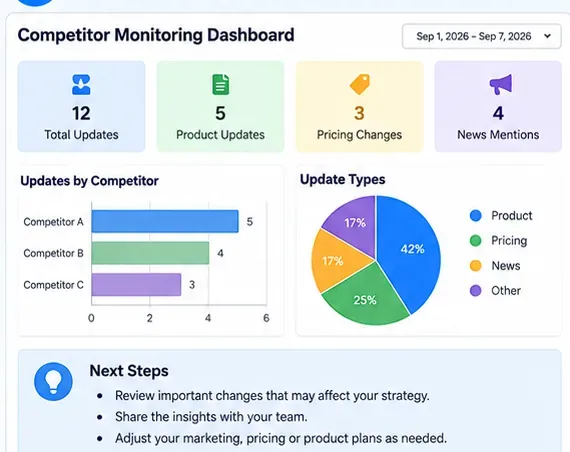
AI-generated conceptual illustration of trend tracking and self-checking over multiple weekly runs.
For the agent itself, keep observability. OpenAI’s Agents SDK includes built-in tracing that records model generations, tool calls, handoffs, guardrails, and custom events. The official tracing guide describes how traces and spans can be used to debug and monitor workflows. Be deliberate about sensitive data because trace payloads can include model and tool inputs/outputs depending on configuration.
Self-check before you trust the weekly report
Every material finding has a working source URL and a date inside the reporting window.
First-party product and pricing claims are backed by first-party evidence whenever possible.
The system compares against the previous known state instead of simply repeating old news.
“No material change” is an acceptable result for any competitor.
Duplicate stories from multiple outlets are merged rather than counted as separate changes.
The scheduled job has a recorded success timestamp, and missed runs are detectable.
API keys and other credentials are stored as secrets and do not appear in logs or reports.
A human reviews high-impact findings before the team acts on them.
Common mistakes that make AI competitor monitoring unreliable
Monitoring only through search queries
Search is excellent for discovery but unstable as a historical baseline. Keep explicit source URLs and persist prior observations.
Asking the model for “important news” without a schema
Importance is subjective. Define categories, evidence requirements, and a review flag so the output can be audited.
Letting the agent summarize without dates
A result may be relevant but old. Always include the reporting window and require an observed or published date when the source provides one.
Sending every discovered item to stakeholders
Separate collection from reporting. The collection layer may find many candidate items; the final report should contain only evidence-backed, deduplicated changes that meet your relevance rules.
Automating actions too early
The safest first version is read-only: collect, compare, summarize, and request review. Add write actions only after you can measure false positives and understand failure modes.
A simple architecture you can reuse
The durable pattern is: source registry → collection → normalization → baseline comparison → agent analysis → structured findings → human review → weekly report → trend store. The AI agent is strongest in the interpretation stages, while ordinary code is usually better for exact scheduling, state storage, hashing, retries, and deterministic comparisons.
If the workflow passes the self-check for several consecutive runs, you can expand carefully: add more competitors, add specialized agents for pricing or product changes, add a database, or route approved reports to email, Slack, or your internal knowledge base. The goal is not to create the most autonomous agent. It is to create the smallest repeatable system that gives your team timely, source-backed competitor changes every week.