Home
» AI News
»
Siri AI language rollout in October 2026: how to check availability before changing settings
Siri AI language rollout in October 2026: how to check availability before changing settings
Updated September 28, 2026: Apple has confirmed that Siri AI is currently rolling out in beta in English, with support for French, Japanese, Korean, Portuguese, and Spanish coming in October 2026. What Apple has not published yet is a specific October release date for each language or region. That distinction matters: changing your iPhone, iPad, or Mac language early does not force the rollout to appear.
The safest approach is to check three things first: whether your device is eligible, whether Apple’s live feature-availability page lists your target language, and whether the Siri settings screen actually offers Siri AI for your current account and region. Only then should you consider changing language settings.
What exactly is rolling out in October 2026?
Apple’s September 2026 Siri AI announcement says the new Siri AI beta starts in English and that French, Japanese, Korean, Portuguese, and Spanish support is coming “next month.” Because the announcement was published in September 2026, that points to October. Apple’s official support page, last published September 22, 2026, still says Siri AI is “currently available in English,” so users should treat October as a rollout window rather than a guaranteed date for every device.
This is different from the broader Apple Intelligence language list. Apple Intelligence already supports a larger set of languages, including Chinese (Simplified and Traditional), Danish, Dutch, English, French, German, Italian, Japanese, Korean, Norwegian, Portuguese, Spanish, Swedish, Turkish, and Vietnamese. A language being supported by Apple Intelligence does not automatically mean that the new Siri AI beta is already available in that language.
Should you change your Siri language now to get Siri AI sooner?
Usually, no. Changing languages before Apple has enabled Siri AI for that language can create extra downloads and temporary feature changes without unlocking the new assistant. Apple says Siri AI requires the device language and Siri language to be set to the same supported language. Apple also warns that if you change Siri’s language, Apple Intelligence may be unavailable until the new Siri language has fully downloaded and matches the device language.
That means a user in Japan, for example, should not switch from Japanese to English solely because English Siri AI is live unless they are comfortable running the device and Siri in English. Likewise, a Spanish-speaking user waiting for the October expansion should verify that Spanish is actually listed for Siri AI before making changes.
How do you check whether your device is ready?
1. Confirm the operating system first
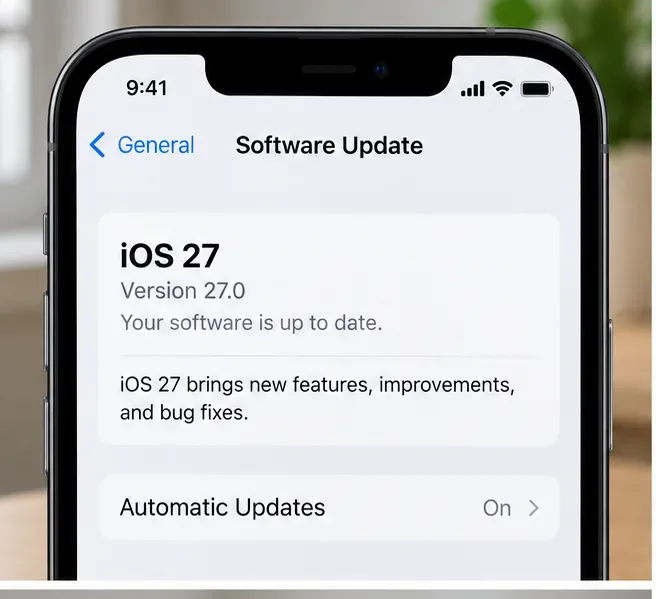
Siri AI requires the 2027-generation operating systems: iOS 27, iPadOS 27, macOS 27 Golden Gate, watchOS 27, or visionOS 27. On iPhone, start with Settings > General > Software Update. If you are still on an earlier major release, language changes alone will not make Siri AI appear.
An iPhone-style Software Update screen showing iOS 27. Check the operating system before troubleshooting Siri AI language availability.
Apple’s support page lists compatible hardware including iPhone 15 Pro models, iPhone 16 models or later, and iPhone Air; iPad mini with A17 Pro and iPads with M1 or later; Macs with M1 or later plus MacBook Neo with A18 Pro; Apple Vision Pro; and supported Apple Watch models when paired with an Apple Intelligence-enabled iPhone.
2. Check Apple’s live Siri AI feature listing
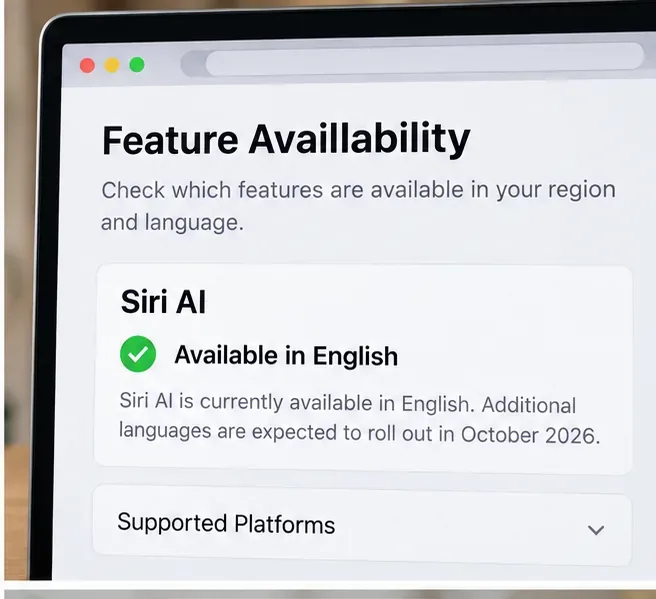
Before touching language settings, open Apple’s feature-availability page and look specifically for the Siri AI section. As of September 28, 2026, Apple lists Siri AI as available in English, with regional restrictions. The key signal for the October rollout will be that Apple updates this section to include one or more of the newly announced languages.
A feature-availability view emphasizing the current English status. Use Apple’s live page for the authoritative language list because rollout timing can change.
Do not rely only on a social-media post, a screenshot from another country, or the presence of ordinary Siri in your language. Apple maintains separate availability for Siri AI, classic Siri, and individual Apple Intelligence features.
3. Verify your device language and region without changing them yet
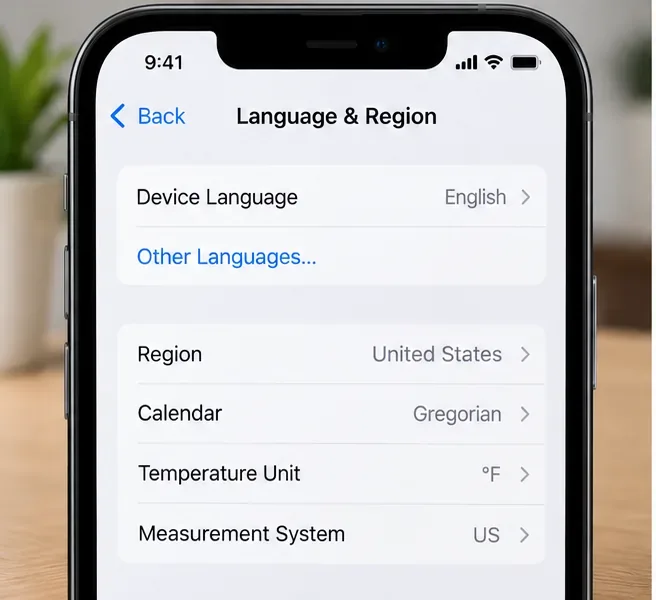
On iPhone or iPad, review Settings > General > Language & Region. Note your current device language and region. You do not need to change either setting just to check availability.
The Language & Region screen is worth checking before making changes. Siri AI requires the device language and Siri language to match a supported language.
This step is especially important if your Apple Account region differs from where you are physically located. Apple says availability varies by region and platform, and some restrictions are tied to the Apple Account region rather than travel location.
4. Look for the Siri AI option in Siri settings
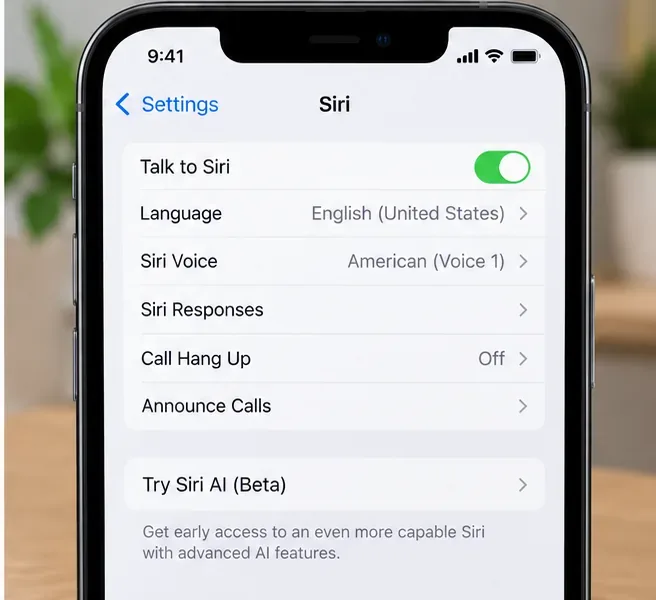
Apple instructs eligible users to open Settings > Siri and look for Try Siri AI (Beta). If Siri is off, turn Siri on first. If the option is absent, do not assume changing the language will fix it; first re-check the live language list, device eligibility, software version, and regional rules.
A Siri settings view with language controls and the Siri AI beta entry. The actual option appears only when Apple makes it available for the device, language, account, and region.
When the option is available and you opt in, Apple says you may be placed on a waitlist. Wait times can vary, and Siri AI downloads automatically after your wait is complete. So even after October language support begins, access may not be instantaneous.
Which October languages should you watch for?
Language
Apple’s September 2026 statement
What to check before changing settings
French
Coming next month
Wait until Siri AI itself lists French, not just Apple Intelligence.
Japanese
Coming next month
Confirm Siri AI appears in Settings and Apple’s availability page has updated.
Korean
Coming next month
Check account region and platform restrictions in addition to language.
Portuguese
Coming next month
Verify which Portuguese locale Apple lists when the rollout starts.
Spanish
Coming next month
Verify the supported Spanish locale on Apple’s live page rather than assuming all variants launch together.
Apple has not, in the official sources checked for this article, provided a day-by-day October schedule or a locale-by-locale launch order for those five languages. That is why it is better to verify the live listing than to change settings based on the month alone.
What regional restrictions can block Siri AI even if the language is supported?
Two major restrictions are clearly documented. First, Siri AI is not currently available for iOS, iPadOS, or watchOS users in the European Union. Apple says it is available on macOS 27 Golden Gate and visionOS 27 for EU Apple Accounts when both device and Siri language are set to English. Second, Siri AI currently does not work for Apple Accounts whose region is mainland China.
Apple’s September announcement also says Siri AI and the other new Apple Intelligence features will not be available in China while the company works through regulatory requirements. These rules mean that choosing English, French, Spanish, or another supported language does not override a regional restriction.
What should you do when your language appears?
Once Apple’s live page lists your language for Siri AI and the Siri settings screen offers the beta, then it makes sense to align settings if needed. Make sure the device language and Siri language are the same supported language, allow any required language download to finish, and keep the device on Wi-Fi and power if a large model download begins. Apple’s Apple Intelligence requirements page notes that supported devices can require several gigabytes of storage for Apple Intelligence models, depending on the model.
If Siri AI still does not appear after the language becomes officially supported, check the Apple Account region, confirm the exact hardware model, install current system updates, and revisit the Siri screen. Avoid repeatedly switching languages or regions: that can complicate troubleshooting without changing Apple’s server-side rollout status.
How can you tell whether you are seeing Siri AI rather than classic Siri?
The most reliable sign is not a new animation or a particular answer style. It is the Try Siri AI (Beta) or active Siri AI status in Settings on a supported device. Apple describes Siri AI as adding broad world knowledge, personal context understanding, onscreen awareness, systemwide app actions, a dedicated Siri app, writing help, and Visual Intelligence features. Some capabilities depend on platform and hardware, so one missing feature does not necessarily mean Siri AI is off.
Apple also says Siri AI is a beta and that some server-side Apple Intelligence features are subject to daily usage limits. That is another reason to avoid treating a single failed request as proof that your language setting is wrong.
Bottom line: verify the rollout before you change anything
For October 2026, the important sequence is simple: confirm your device and OS are supported, check Apple’s live Siri AI language listing, review regional eligibility, and then look for the Siri AI beta option in Settings. Only change device or Siri language after Apple has actually added your target language.
Apple has confirmed French, Japanese, Korean, Portuguese, and Spanish are next, but as of September 28 it has not given a specific October launch date for each one. Keeping your current settings until Apple’s official availability pages update is the least disruptive way to avoid unnecessary language changes and confusing partial support.