In the fast-moving world of AI image generation, Grok Image Generator has become a favorite tool for creators who want beautiful Studio Ghibli and Anime style artwork. This guide shows you exactly how to use Grok to create high-quality AI images in these popular styles.
What is Grok Image Generator? 🤖
Grok Image Generator is an AI-powered image creation tool developed by xAI. It allows users to generate detailed, high-quality images simply by describing what they want. The tool excels at artistic styles, especially the dreamy, nature-filled aesthetic of Studio Ghibli and the vibrant, character-focused look of Anime.
Built on advanced models (with current features powered by FLUX architecture), Grok understands complex artistic instructions and produces images with strong style consistency. This makes it particularly useful for digital artists, content creators, marketers, and students exploring AI creativity.
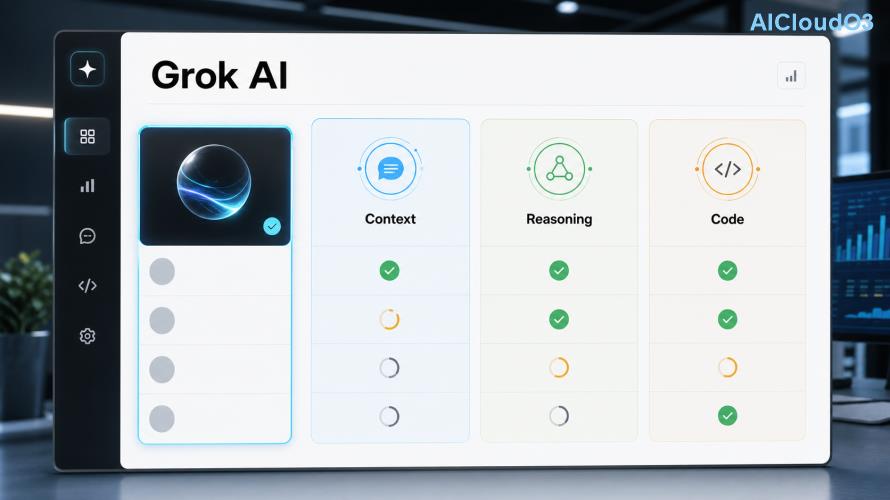
How to Access Grok Image Generator
To start generating images, you need access to Grok through the official platforms. Current access is available via:
- Grok web interface at grok.x.ai
- X platform (formerly Twitter) with a Premium subscription
- Mobile apps where Grok is integrated
Once logged in, simply start a conversation and request an image. No complicated setup is required. Always check the official platform for the latest access requirements and subscription options.
Step-by-Step: Creating Ghibli Style Images 🌿
Studio Ghibli style is known for its soft colors, detailed backgrounds, whimsical elements, and emotional atmosphere. Here’s how to create these images using Grok Image Generator:
- Start a new chat with Grok.
- Use a clear prompt that describes both the scene and the style.
- Add artistic references like “Studio Ghibli style” or “in the style of Hayao Miyazaki.”
- Generate and refine by asking Grok to make adjustments.
Recommended Ghibli Prompt Structure
| Component |
Example |
| Subject |
A young girl with a red umbrella standing on a hill |
| Environment |
overlooking a vast valley with floating clouds and ancient forests |
| Style |
in the style of Studio Ghibli, Hayao Miyazaki, soft pastel colors, intricate background details |
| Quality |
highly detailed, cinematic lighting, whimsical atmosphere |
Example prompt: “Create an image of a curious fox spirit walking through an enchanted forest at dusk, Studio Ghibli style, detailed foliage, soft glowing lights, whimsical and peaceful atmosphere, in the style of Hayao Miyazaki.”
Creating Anime Style Images with Grok ⚡
Anime style features bold lines, expressive eyes, dynamic poses, and vibrant colors. Grok performs well with both classic and modern anime aesthetics.
Effective Anime Prompt Formula
Use this structure for consistent anime results:
“[Character description], [action/pose], [setting], anime style, [specific anime influence], sharp lines, vibrant colors, detailed eyes, studio anime quality”
Example prompt: “A determined female samurai warrior standing on a rooftop at night during rainfall, anime style, sharp detailed eyes, flowing hair, neon city lights in background, dynamic composition, high quality anime illustration.”
Advanced Prompt Techniques for Better Results 💡
To get the best output from Grok Image Generator, try these proven techniques:
- Style weighting: Use “strong Studio Ghibli influence” or “pure anime style” to increase consistency.
- Negative prompts: Add “blurry, low quality, deformed, realistic” to avoid unwanted results.
- Artist references: Mention specific directors or artists (e.g., “Makoto Shinkai style” for anime or “Joe Hisaishi inspired color palette” for Ghibli).
- Lighting and mood: Words like “golden hour lighting,” “dramatic rim lighting,” or “soft diffused sunlight” dramatically improve image quality.
- Composition terms: Include “wide angle shot,” “close-up portrait,” or “rule of thirds composition.”
Prompt Comparison Table
| Style |
Basic Prompt |
Advanced Prompt |
Expected Improvement |
| Ghibli |
forest scene ghibli style |
ancient forest with spirit creatures, soft morning mist, Studio Ghibli style by Hayao Miyazaki, intricate details, whimsical, warm color palette, cinematic composition |
Much higher detail and emotional depth |
| Anime |
girl with sword anime |
confident teenage swordswoman with flowing pink hair, dynamic action pose, detailed anime eyes, sharp linework, vibrant colors, modern anime style like Kyoto Animation |
Better character design and visual impact |
Real Examples and Use Cases 🚀
Many creators use Grok Image Generator for:
- Content creation: Eye-catching thumbnails and social media visuals
- Storyboarding: Quick concept art for animations or games
- Learning: Art students practicing style analysis
- Marketing: Unique branded illustrations that stand out
- Personal projects: Custom wallpapers, book covers, and prints
The ability to quickly iterate on ideas makes Grok especially valuable for creative professionals who need to explore multiple concepts without spending hours drawing.
Practical Tips and Cost-Saving Strategies
Here are ways to get maximum value from Grok Image Generator:
- Generate multiple variations in one prompt by asking for “four different versions.”
- Reuse successful prompt structures and only change the subject.
- Start with simpler prompts and gradually add details instead of overwhelming the model at once.
- Take advantage of free daily generations when available, then upgrade only if you need higher volume.
- Save your best prompts in a personal document for future reference.
Results vary based on prompt quality, current model version, and specific request. Experimentation remains the best way to understand what works.
Limitations and Best Practices ⚠️
Like all AI image tools, Grok has current limitations. It may occasionally struggle with complex hand details, exact character consistency across multiple images, or very specific copyrighted character recreations.
Always review the platform’s latest terms of service and copyright guidelines. When using generated images for commercial projects, check current usage rights and consider consulting a legal professional if needed. Treat AI-generated images as creative starting points rather than final products in professional contexts.
Frequently Asked Questions
1. Is Grok Image Generator free to use?
Basic access is available with certain subscriptions. Check the official Grok platform for current pricing and generation limits, as these features are updated regularly.
2. How do I get the best Ghibli style results?
Use specific references to “Studio Ghibli” and “Hayao Miyazaki,” describe both the scene and the emotional atmosphere, and include details about lighting and nature elements. Adding “whimsical, detailed background, soft colors” often improves results.
3. Can Grok generate images in specific anime art styles?
Yes. You can request styles similar to popular studios or artists by naming them in your prompt (e.g., “Studio Trigger style” or “Makoto Shinkai color palette”). Results depend on the current model capabilities.
4. How does Grok compare to Midjourney for anime and Ghibli?
Grok offers more natural conversation flow and often requires less prompt engineering. Each tool has strengths — test both to see which matches your creative needs better.
5. Can I use these AI images commercially?
Review the latest terms of service on the official platform. Usage rights can change, so always verify current policies before using images for business purposes.
6. How can I improve consistency between multiple generated images?
Use the same detailed prompt as a base and make small changes. Some users also describe key elements (hair color, clothing, art style) in every prompt to maintain consistency.
Conclusion
The Grok Image Generator offers a powerful and accessible way to create beautiful Ghibli and Anime style AI images. By following the step-by-step methods and prompt techniques in this guide, you can produce impressive artwork that captures the magic of these beloved styles.
Start with simple prompts, study the results, and gradually refine your technique. The most effective users treat Grok as a creative collaborator rather than a replacement for artistic vision.
Ready to create your own AI images?
Open Grok today and try the prompt examples from this guide. Experiment with different styles and watch your creative ideas come to life in seconds.
This article provides general guidance based on current features. Always refer to official documentation for the latest information about Grok Image Generator capabilities and policies.