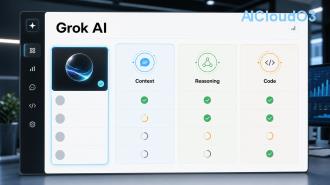
Grok AI has quickly become one of the most capable conversational AI tools available today. While many features sit behind paid subscriptions, there are legitimate, effective strategies to use Grok for free without quickly hitting usage limits. This guide reveals practical tricks that maximize every free interaction.

In this article, you’ll discover how to access Grok without paying, master prompt techniques that stretch your quota, manage conversations intelligently, and apply Grok to real productivity, learning, and business tasks. All methods focus on current features and official access points.
🤖 What is Grok AI?
Grok is an advanced large language model developed by xAI. Designed to be helpful, truthful, and maximally truth-seeking, it stands out for its witty personality, real-time knowledge through integration with X, and strong reasoning capabilities.
Unlike many other AI tools, Grok balances creativity with accuracy and refuses to provide harmful or misleading information. It excels at complex problem-solving, coding assistance, content creation, research, and casual conversation. For professionals and students looking to integrate AI into daily workflows, Grok offers exceptional value when used strategically.
✅ How to Access Grok for Free
The primary way to use Grok for free is through the official web interface at grok.x.ai or via X (formerly Twitter). Current free tier access provides a limited number of queries per time window. The goal of the tricks below is to dramatically increase the value you extract from each interaction rather than attempting to bypass official limits.
Start by visiting the official Grok platform, creating an account, and familiarizing yourself with the interface. Always check the latest information directly from xAI as access policies and rate limits evolve.
💡 Trick 1: Master Prompt Engineering for Maximum Output
The most powerful way to use Grok for free without limits is to write highly effective prompts. Poor prompts waste tokens and force follow-up questions. Excellent prompts deliver comprehensive answers in a single response.
Proven Prompt Frameworks
- Role + Task + Format + Constraints: “Act as an expert AI productivity coach. Create a complete 7-day plan to implement AI automation in a small marketing agency. Structure the answer as a table with columns: Day, Focus, Tools, Expected Time Saved. Keep each day under 300 words.”
- Chain of Thought: Add “Think step by step” to complex reasoning tasks. This dramatically improves output quality without extra queries.
- Specify Output Length: Always define desired length to prevent overly verbose answers that consume your quota.
Using these techniques, users commonly report getting 3-5x more value per interaction compared to casual chatting.
🔄 Trick 2: Smart Conversation Management
Treating every new chat as a fresh start wastes potential. Instead, build “master conversations” that act as ongoing workspaces.
Start a single long conversation dedicated to a specific project (e.g., “Content Creation Assistant” or “Business Strategy Advisor”). Reference previous outputs and ask Grok to remember key context. This reduces repetitive background explanations and stretches your free usage significantly.
Pro tip: At the beginning of each session, paste a short “system prompt” that defines Grok’s role for that entire conversation. This creates consistency and efficiency.
⚡ Trick 3: Query Batching & Efficiency Techniques
Instead of asking one question at a time, batch multiple related requests into single, well-structured prompts. For example:
“Analyze this business idea from three perspectives: market size, competitive landscape, and monetization strategies. For each perspective provide current data points, potential risks, and one actionable next step. Present results in a clear table format.”
Additional efficiency tricks:
- Ask for summaries of long topics first, then drill down only into areas of interest.
- Request multiple format options in one query (bullet points, table, and step-by-step).
- Use Grok to generate prompt templates you can reuse for recurring tasks.
📌 Trick 4: Timing, Interface & Workflow Hacks
Current usage limits often reset at specific intervals. Many users find better availability during off-peak hours (early morning or late evening in their timezone). Experiment to find your optimal windows.
Additional practical tricks:
- Use the “Regular” mode for serious work and “Fun Mode” only when appropriate to control response style.
- Keep multiple browser profiles or incognito windows ready for different dedicated projects.
- Export valuable responses immediately to Notion, Google Docs, or local files so you don’t need to regenerate them later.
- Use Grok to create automation scripts that can be run locally, reducing future dependency on the chat interface.
🚀 Real-World Use Cases: AI Productivity, Business & Learning
Here’s how professionals are currently using these tricks to get the most from free Grok access:
| Use Case |
Strategy |
Estimated Time Saved |
| Content Marketing |
Batch outline + draft + SEO suggestions in one prompt |
2–4 hours per week |
| Learning New Skills |
Role-play as tutor with progressive difficulty |
Significant reduction in research time |
| Business Planning |
Master conversation for ongoing strategy development |
Streamlined decision making |
| Coding & Automation |
Ask for complete working scripts with explanations |
Accelerated development cycles |
These approaches allow users to achieve substantial productivity gains while staying within free tier boundaries.
⚠️ Common Mistakes to Avoid
Many users unintentionally waste their free quota by:
- Starting new conversations for every question instead of building context
- Using vague prompts that require multiple clarifications
- Asking Grok to generate very long creative content in one go
- Ignoring the model’s token usage patterns
Always review the latest guidance from xAI regarding acceptable use and current features. Results vary based on prompt quality, topic complexity, and individual workflow.
❓ Frequently Asked Questions
1. Is Grok completely free to use?
Grok offers a free tier with usage quotas. The tricks in this guide help you maximize value within those official limits rather than removing them entirely. Always check current pricing and access details on the official platform.
2. What is the best way to write prompts for Grok?
The most effective prompts include clear role assignment, specific output format, length constraints, and chain-of-thought instructions. Examples are provided throughout this article.
3. Does using multiple browser profiles violate Grok’s terms?
Users should always review the official Terms of Service and Acceptable Use Policy from xAI. Focus on creating better prompts and efficient workflows rather than attempting to circumvent limits.
4. Can Grok replace paid AI tools for business use?
Grok is a powerful addition to your AI toolkit. Many professionals combine it with other specialized tools depending on their specific needs. Results depend heavily on user skill and implementation.
5. How often do free usage limits reset?
Reset timing follows current platform policies which may change. Monitor your usage dashboard and adjust your workflow based on the latest official updates.
🎯 Conclusion: Start Using Grok Smarter Today
You don’t need a paid subscription to get tremendous value from Grok AI. By mastering prompt engineering, managing conversations strategically, batching queries, and applying these practical tricks, you can effectively use Grok for free without hitting limits as quickly.
The real advantage comes from treating Grok as a productivity partner rather than a casual chatbot. Implement these strategies consistently and you’ll see measurable improvements in your workflow, learning speed, and output quality.
Ready to level up your AI productivity?
Start applying these tricks immediately. Save this guide and revisit it as you build your personal system for using Grok efficiently. For more advanced AI automation strategies, productivity frameworks, and business applications, explore our other in-depth AI guides.
Take action now: Open Grok, start a new master conversation using the role-based prompt framework above, and experience the difference immediately.
Remember to regularly check official updates from xAI for the latest features, policies, and best practices. The AI landscape evolves rapidly — staying informed is the best way to maintain your advantage.