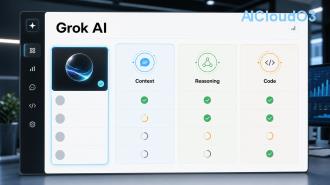
Grok, the AI chatbot developed by xAI, is now seamlessly integrated into the X platform (formerly Twitter). This guide delivers clear, actionable instructions on accessing Grok, using it effectively for productivity, content creation, and research, while transparently covering its current limits.

What Is Grok AI? 🤖
Grok is an advanced AI language model created by Elon Musk’s xAI team. Designed to be helpful, truthful, and maximally truth-seeking, Grok stands out because it has real-time access to information and trends circulating on the X platform. Unlike many other AI tools that rely on static training data, Grok can reference current events, popular discussions, and viral content directly from X.
This integration makes Grok particularly valuable for professionals, creators, marketers, researchers, and students who want to combine social intelligence with artificial intelligence for faster insights and better decision-making.
Requirements to Access Grok
To use Grok on X, you must have an active X Premium or Premium+ subscription. Free accounts currently cannot access the full Grok experience. The exact subscription tier affects usage quotas and priority access to newer models.
Additional requirements include:
- A verified X account
- The latest version of the X mobile app (iOS or Android) or access via web at x.com
- Basic understanding of prompt engineering for best results
Always check the official X help center for the latest subscription requirements and feature availability.
How to Access Grok on X – Step by Step
Follow these simple steps to start using Grok immediately:
- Open the X app or visit x.com and log into your Premium account.
- Look for the Grok icon (usually represented by a stylized robot or “G” logo) in the left sidebar on web or bottom navigation on mobile.
- Tap or click the Grok icon to open the chat interface.
- If prompted, accept the terms of use and privacy notice.
- Start your first conversation by typing a question or request.
The interface is clean and conversational, similar to other major AI chatbots but with X-specific context options.
How to Use Grok: Practical Guide ⚙️
Using Grok is straightforward, but understanding a few core mechanics will dramatically improve your results:
- Conversational context: Grok remembers the current chat thread. You can ask follow-up questions without repeating background information.
- Real-time knowledge: Ask about trending topics on X and Grok can incorporate the latest discussions.
- Content generation: Request tweet threads, LinkedIn posts, blog outlines, email drafts, or marketing copy.
- Analysis: Paste links to X posts or ask Grok to analyze sentiment, summarize threads, or extract key insights.
- Creative tasks: Brainstorm product names, generate coding solutions, create study plans, or develop business strategies.
For best outcomes, be specific about your goal, desired format, and tone. Example prompt: “Act as a senior marketing strategist. Create a 5-tweet thread about using AI for small business productivity. Make it engaging and actionable.”

7 Proven Tips to Get Better Results 💡
Here are practical techniques that experienced users apply to maximize Grok’s capabilities:
| Tip |
How to Apply |
Expected Benefit |
| Be Specific |
Include role, format, length, and tone in every prompt |
Higher quality, more relevant responses |
| Use Follow-ups |
Refine answers by saying “Make it more concise” or “Add examples” |
Iterative improvement without starting over |
| Leverage X Context |
Ask “What are people saying on X about [topic] right now?” |
Real-time market and sentiment intelligence |
| Upload Images |
Share screenshots, charts, or memes for analysis (when available in your region) |
Multimodal understanding |
| Compare Options |
Ask Grok to compare multiple approaches or tools |
Better decision-making support |
| Save Good Prompts |
Keep a personal library of effective prompts |
Consistent results over time |
| Combine With Other Tools |
Use Grok for ideation then export to Notion, Google Docs, or Canva |
Streamlined AI workflow |
These tips can help reduce time spent on research and content creation significantly, though exact time savings depend on your specific workflow and experience level.
Understanding Grok’s Current Limits ⚠️
Like all AI systems, Grok has boundaries users should understand:
- Usage quotas: Premium users have daily or hourly limits that reset periodically. Premium+ typically offers higher limits.
- Knowledge cutoff with real-time boost: While Grok pulls live data from X, it may still lack depth on very recent niche topics or highly technical subjects.
- Hallucination risk: Grok can occasionally present incorrect information. Always verify critical facts.
- Content restrictions: Grok follows safety guidelines and will refuse requests that violate X’s policies.
- No persistent memory across chats: Each new chat starts fresh unless you continue the same thread.
- Regional availability: Some features may vary by country due to regulations.
xAI regularly updates Grok’s capabilities. For the latest information on limits and features, refer to official announcements on X or the Grok settings page.
Grok vs Other AI Tools
| Feature |
Grok on X |
ChatGPT |
Claude |
| Real-time X data |
Strong |
Limited |
No |
| Personality |
Humorous & direct |
Neutral |
Cautious |
| Integration |
Native in X app |
Separate platform |
Separate platform |
| Usage limits |
Based on X subscription |
Based on plan |
Based on plan |
| Best for |
Social intelligence, trends, quick research |
General tasks |
Long-form writing |
Frequently Asked Questions
1. Is Grok free to use on X?
No. You need at least an X Premium subscription. Check current pricing directly on the X platform as plans may change.
2. Can Grok analyze images and PDFs?
Grok supports image understanding in supported regions. PDF analysis capability depends on the current model version. Test directly in the chat interface.
3. How does Grok compare to ChatGPT for productivity?
Grok excels when you need real-time social media context or trending topics. ChatGPT may be stronger for deep research or complex document analysis. Many professionals use both tools for different purposes.
4. Does Grok save my chat history?
Chats are saved within your X account for a limited time. You can delete individual conversations. Review X’s privacy policy for the latest data handling practices.
5. Can I use Grok for business or client work?
Yes, but always review outputs for accuracy and appropriateness. Grok should support your work, not replace professional judgment. Consider confidentiality before sharing sensitive business data.
6. How often does xAI update Grok?
xAI releases updates regularly. New model versions and feature improvements are typically announced on Elon Musk’s or xAI’s official X accounts.
Related AI Guides
Continue your AI learning journey with these topics:
- How to Create Effective AI Prompts for Better Results
- Best AI Tools for Content Creators in 2025
- Using AI for Social Media Research and Trend Analysis
Ready to Start Using Grok? 🚀
Grok offers a unique combination of real-time social intelligence and powerful AI capabilities directly inside the X platform. By following the access steps, applying the tips in this guide, and respecting its current limits, you can incorporate Grok into your daily workflow for research, content creation, brainstorming, and learning.
Open the X app now, locate the Grok icon, and begin experimenting. The more you use it, the better you’ll understand how to craft prompts that deliver exactly what you need.
Pro tip: Start with one specific use case (like generating tweet threads or summarizing industry news) before expanding to more complex tasks.
Have questions about implementing Grok into your workflow? Drop them in the comments or try asking Grok directly on X.
This guide reflects current features and official guidance available at the time of writing. AI capabilities and platform policies evolve quickly — always verify the latest information directly from X and xAI.