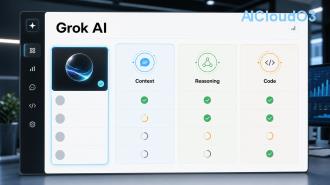
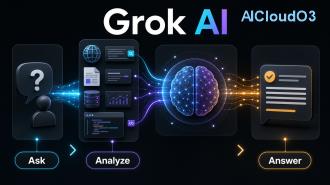
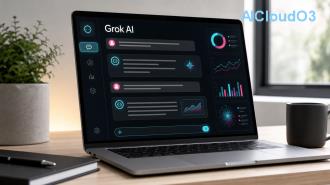
Grok AI is an advanced AI assistant developed by xAI that combines real-time knowledge, technical precision, and a witty personality. Unlike many conventional chatbots, Grok aims to be maximally truthful and helpful while maintaining a sense of humor inspired by the Hitchhiker’s Guide to the Galaxy.
In this guide, we break down exactly what Grok AI is, who created it, its current features, practical applications for work, learning, and business, plus how it compares to other AI tools.
What Is Grok AI?
Grok AI is a large language model-based chatbot created to answer questions with high accuracy, real-time information, and minimal censorship. Launched by xAI, Grok stands out in the crowded AI landscape by prioritizing truth-seeking over political correctness.
The name “Grok” comes from Robert A. Heinlein’s novel Stranger in a Strange Land, meaning to understand something intuitively and deeply. This reflects the AI’s goal: to understand user intent thoroughly and respond in a clear, useful manner.
Unlike many other AI assistants that refuse controversial topics, Grok is designed to tackle almost any question while maintaining ethical boundaries. Its personality is helpful, clever, and occasionally sarcastic — making interactions more engaging than purely robotic responses.
Who Made Grok AI?
Grok AI was created by xAI, an artificial intelligence company founded by Elon Musk in July 2023. The company’s mission is to understand the true nature of the universe.
Elon Musk assembled a team of top AI researchers and engineers, many of whom previously worked at OpenAI, Google, Microsoft, and Tesla. The first version, Grok-1, was released in November 2023, with significant improvements delivered through Grok-1.5 and later models.
The development of Grok was partly motivated by Musk’s concerns about existing AI systems being “too politically correct” or overly restricted. xAI built Grok to be more truthful and less biased, drawing inspiration from the sarcastic and intelligent JARVIS from Iron Man and the Hitchhiker’s Guide to the Galaxy.
Key Features of Grok AI 🤖
Grok offers several distinctive capabilities that make it valuable for both casual users and professionals:
- Real-time Knowledge: Integrated with the X platform (formerly Twitter), Grok can access current events and trending information faster than many other AI models.
- Advanced Reasoning: Strong performance in mathematics, coding, and complex problem-solving.
- Image Understanding: Can analyze uploaded images and describe their content in detail.
- Image Generation: Powered by integration with Flux, Grok can create high-quality images from text descriptions.
- Fun Mode: Users can switch between Regular and Fun modes. Fun mode delivers more humorous and creative responses.
- Voice Mode: Available on mobile apps for natural spoken conversations.
- Reduced Refusals: Grok is less likely to decline answering sensitive or controversial questions compared to other major models.
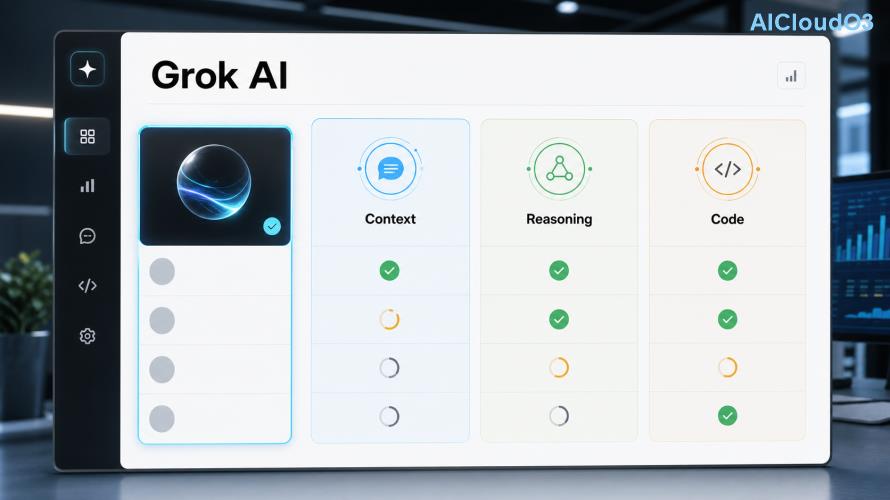
How Does Grok AI Work?
At its core, Grok is powered by large language models trained on massive datasets. What sets it apart is its training approach and continuous connection to real-time data from the X ecosystem.
When you ask a question, Grok processes your input, retrieves relevant context if needed, and generates a response using its trained parameters. The model has been specifically tuned to be helpful without excessive disclaimers or corporate-style caution.
xAI continues to release updated versions with improved reasoning, longer context windows, and better multimodal capabilities. Users should always check official xAI channels for the latest model performance and feature updates.
Practical Uses and Applications 💡
Grok AI delivers value across many areas of work, learning, and creativity:
For Productivity & Business
Professionals use Grok to brainstorm marketing strategies, analyze market trends using real-time data, draft emails, create business plans, and automate repetitive thinking tasks. Many report time savings when using it for research that would normally take hours.
For Learning & Education
Students and lifelong learners benefit from Grok’s ability to explain complex topics in simple terms. It excels at breaking down programming concepts, scientific theories, mathematical problems, and historical events with clear examples.
For Content Creation
Writers and marketers use Grok to overcome creative blocks, generate outlines, improve drafts, and develop engaging social media content. Its humorous tone makes it particularly effective for creating personality-driven copy.
For Developers & Technical Work
Grok performs strongly in coding assistance — helping debug code, suggest optimizations, explain libraries, and even write entire functions. Its technical accuracy makes it a practical pair-programming partner.
For Everyday Tasks
From meal planning and travel advice to explaining current news events with context, Grok serves as a versatile daily assistant that balances seriousness with personality.
Tip: Always verify important facts, especially for business or academic work. While Grok is highly capable, combining its output with your own expertise delivers the best results.
Grok AI vs Other AI Models
| Feature |
Grok AI |
ChatGPT |
Claude |
| Real-time Information |
Strong (via X) |
Limited without browsing |
Limited |
| Personality |
Humorous & bold |
Neutral & safe |
Thoughtful & careful |
| Coding Ability |
Excellent |
Very Good |
Excellent |
| Image Generation |
Yes (Flux) |
Yes (DALL·E) |
No |
| Refusal Rate |
Lower |
Higher |
Highest |
| Access |
X Premium+ |
Free & Paid tiers |
Free & Paid tiers |
Pros and Cons of Grok AI
| Pros ✅ |
Cons ⚠️ |
| Real-time information from X platform |
Requires X Premium subscription for full access |
| Engaging, humorous personality |
Can occasionally be overly sarcastic |
| Strong reasoning and coding skills |
Image generation has usage limits |
| Less restricted than many competitors |
Still under active development |
| Regular model improvements |
Performance can vary depending on topic complexity |
Results vary based on how you use the tool, the quality of your prompts, and your specific workflow. Always test thoroughly for your unique use cases.
Getting Started with Grok AI 🚀
To use Grok AI, you need an X Premium+ subscription. Once subscribed, you can access Grok directly on the X platform or through the dedicated Grok mobile apps.
Best practices for better results:
- Be specific with your prompts
- Provide context when needed
- Specify desired tone (professional, creative, concise)
- Ask follow-up questions to refine outputs
- Use “Fun Mode” for creative tasks
Start with simple tasks and gradually explore more complex applications as you become comfortable with its capabilities.
Frequently Asked Questions
Is Grok AI free to use?
Grok offers limited free access in some regions, but full features and higher usage limits require an X Premium+ subscription. Check current pricing directly on the X platform for latest details.
How is Grok different from ChatGPT?
Grok has a more humorous personality, better real-time knowledge through X, and tends to be less restrictive in its responses. It also integrates image generation through Flux, giving it unique creative capabilities.
Can Grok AI generate images?
Yes. Grok can create images using the Flux model. Simply describe what you want and Grok will generate it. Usage limits apply depending on your subscription tier.
Who owns the content created with Grok?
Check the latest terms of service on the official xAI or X platform. Generally, users retain rights to content they generate, but policies can evolve. Always verify current guidelines.
Is Grok AI safe for business use?
Grok can be a helpful productivity tool, but like all AI systems, it should not replace professional judgment. Avoid inputting sensitive company data and always verify critical outputs.
How often does xAI update Grok?
xAI releases regular updates and new model versions. The company maintains an active development cycle, with significant improvements released throughout the year.
Conclusion
Grok AI represents a fresh approach in the AI assistant space — combining powerful capabilities with personality and a commitment to truth-seeking. Whether you need help with coding, content creation, research, or simply want more engaging conversations, Grok offers a distinctive experience.
As AI technology continues to evolve rapidly, staying informed about the latest features and best practices will help you get maximum value from tools like Grok. Experiment with different use cases, refine your prompting skills, and combine AI assistance with your own expertise.
The most effective users treat AI as a collaborative partner rather than a replacement. Start small, measure results, and gradually expand how you incorporate Grok into your workflow for learning, business, and creative projects.
Ready to experience a different kind of AI? Explore Grok today and discover how its unique blend of intelligence and wit can support your goals.
This article is for informational purposes only. Always verify the latest features, pricing, and policies directly from official xAI sources. AI capabilities and availability change frequently.