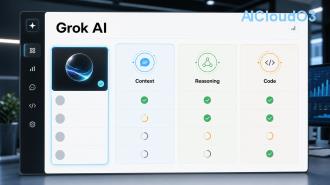
Grok Imagine is xAI’s powerful text-to-image and video generation tool built into the Grok AI assistant. It enables anyone to turn simple text descriptions into high-quality visuals in seconds. This guide explains exactly what Grok Imagine is, how it works, and provides clear, step-by-step instructions to help you create professional AI images and videos for content creation, marketing, education, and business.

What Is Grok Imagine?
Grok Imagine is the native image and video generation capability of Grok, the large language model developed by xAI. Unlike standalone tools, it lives directly inside the Grok chat interface, allowing users to generate visuals without switching platforms.
Powered by advanced models including FLUX.1 architecture, Grok Imagine produces detailed, stylistically consistent images and short video clips from natural language prompts. It is designed to be helpful, truthful, and maximally useful for real-world creative and professional tasks.
Whether you need marketing visuals, educational diagrams, social media content, product mockups, or artistic concepts, Grok Imagine delivers fast results while maintaining strong prompt adherence and visual quality.
Key Features and Benefits
- 🚀 Fast generation – Most images appear in under 10 seconds
- 🧠 Strong prompt understanding – Excellent at interpreting style, lighting, composition, and mood
- 🎥 Video generation support – Current features allow creation of short motion clips from text
- 📌 Built-in editing options – Regenerate, vary, or upscale results directly in chat
- 💼 Practical for work – Ideal for marketers, educators, developers, and content creators
- 🔄 Continuous updates – Features evolve based on official xAI improvements
Users typically report 5–10× faster visual content creation compared to traditional design workflows, though actual time savings depend on prompt quality and revision needs.
How Grok Imagine Works
Grok Imagine converts text prompts into visual data using sophisticated diffusion models. When you enter a description, the system analyzes the request, builds a conceptual understanding, and generates pixels that match your intent.
The underlying technology emphasizes realism, artistic flexibility, and coherence. For video, the model adds temporal consistency so motion looks natural across frames. All processing happens through xAI’s infrastructure, and users should always review the latest official guidance regarding data handling and content policies.
Access Requirements
Grok Imagine is available to users with an active X Premium subscription. Current features and usage limits can change, so check the official Grok interface for the most up-to-date availability and quotas.
Step-by-Step: Creating AI Images with Grok Imagine
- Access Grok – Open grok.x.ai or the X app and start a new conversation with Grok.
- Use the Imagine command – Simply type “Imagine:” followed by your description, or use the built-in image generation button when available.
- Write a detailed prompt – The more specific you are, the better the output. Include subject, style, lighting, camera angle, and mood.
- Generate – Submit and wait a few seconds for the result.
- Iterate – Reply with “make it more cinematic,” “change the background,” or “add text overlay” to refine the image.
- Download – Save the final version in high resolution.
How to Create AI Videos with Grok
Video generation follows a similar workflow but requires slightly different prompting. Start your request with “Create a video of…” or “Animate this scene…” and describe the motion clearly.
Example prompt: “Create a 5-second video of a futuristic city street at night with flying cars, neon signs reflecting on wet pavement, cinematic camera pan from left to right, cyberpunk style.”
Current video capabilities focus on short clips (typically 4–8 seconds). For best results, keep scenes simple and motion predictable. Always verify current video length limits and quality settings in the official interface, as these features receive regular updates.
Prompt Engineering Tips for Better Results
Effective prompts are the key to impressive outputs. Follow this checklist:
| Element |
Tip |
Example |
| Subject |
Be specific |
“A confident female engineer” instead of “woman” |
| Style |
Reference art movements or artists |
“in the style of Studio Ghibli, cinematic lighting” |
| Technical details |
Add camera and lens info |
“shot on 35mm film, shallow depth of field” |
| Composition |
Describe framing |
“wide angle view, rule of thirds, dramatic sky” |
| Mood & Lighting |
Set emotional tone |
“golden hour sunlight, optimistic atmosphere” |
Pro tip: Save your best prompt templates. Small changes in wording can produce significantly different results.
Practical Use Cases in Business & Content Creation
Businesses use Grok Imagine to generate:
- Product mockups and lifestyle images for e-commerce
- Custom illustrations for blog posts and reports
- Social media visuals and ad creatives
- Training materials and explainer graphics
- Concept art for product development
Content creators leverage it to maintain consistent visual branding across platforms while dramatically reducing design costs and time. Results vary based on prompt quality, so testing multiple variations is recommended.
Current Limitations and Responsible Use
Like all generative AI tools, Grok Imagine has boundaries. Outputs can occasionally contain inaccuracies, artifacts, or unintended elements. The system may refuse prompts that violate usage policies.
Always check the latest official updates regarding commercial usage rights, content ownership, and safety filters. It is wise to review generated images and videos for accuracy and appropriateness before publishing. For legal or high-stakes commercial projects, consult qualified professionals about copyright and licensing questions.
Cost-saving tip: Start with free or lower-tier access to test concepts before scaling usage. Refine prompts thoroughly to reduce the number of generations needed.
Frequently Asked Questions
1. Is Grok Imagine free to use?
Grok Imagine requires an X Premium subscription for full access. Current pricing and included generation limits should be confirmed directly in the Grok interface or official X platform.
2. What AI model powers Grok Imagine?
It uses advanced models including FLUX.1 architecture developed in collaboration with leading AI research. Exact model versions receive periodic updates—check official release notes for the latest information.
3. Can I use images and videos created with Grok Imagine commercially?
Usage rights depend on current xAI and X platform policies. Always review the most recent terms of service and consider consulting legal counsel for commercial applications.
4. How long are the videos Grok can generate?
Current video generation focuses on short clips, typically 4 to 8 seconds. Maximum length and quality options are updated regularly—verify the latest capabilities inside Grok.
5. How do I improve the quality of my AI images?
Use detailed, descriptive prompts. Include style references, lighting instructions, and composition details. Iterate by giving Grok specific feedback on each generation.
6. Does Grok Imagine support image editing or inpainting?
Yes. You can ask Grok to modify existing images, change backgrounds, add elements, or vary the style directly in the conversation.
Conclusion: Start Creating Today
Ready to transform your creative workflow?
Open Grok now and try your first prompt. Whether you need compelling images for marketing campaigns, educational videos, or original artwork, Grok Imagine offers a fast, accessible way to bring ideas to life using artificial intelligence.
Experiment, refine your prompts, and integrate AI image and video generation into your daily productivity toolkit. The more you practice, the better your results will become.
Start creating with Grok Imagine today.
Related AI topics worth exploring: prompt engineering mastery, AI automation for content teams, and using artificial intelligence to boost marketing productivity.
This article provides general guidance only. Always refer to official xAI and X platform documentation for the most current features, pricing, usage policies, and safety information.