หน้าแรก
» โดเมน
»
Best Free Invoicing Apps for Small Service Businesses in the US (2026)
Best Free Invoicing Apps for Small Service Businesses in the US (2026)
If you run a small service business, a “free” invoicing app should do more than let you type a total and email a PDF. A good result is a workflow that lets you create an accurate invoice quickly, gives the client an obvious way to pay, shows you what is still outstanding, and does not surprise you with limits or fees after you have moved your customer list into the system.
This guide compares free or no-required-monthly-fee invoicing options that are practical for US service businesses such as consultants, cleaners, designers, repair businesses, tutors, contractors, and small agencies. Pricing and limits below were checked against official US or vendor pricing pages on September 13, 2026. Payment-processing fees can change, so confirm the current rate before you commit to a platform.
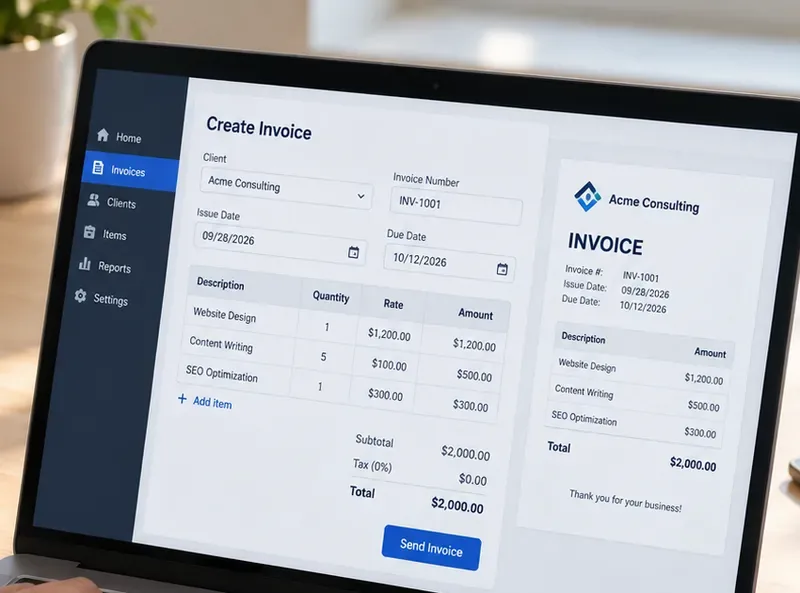
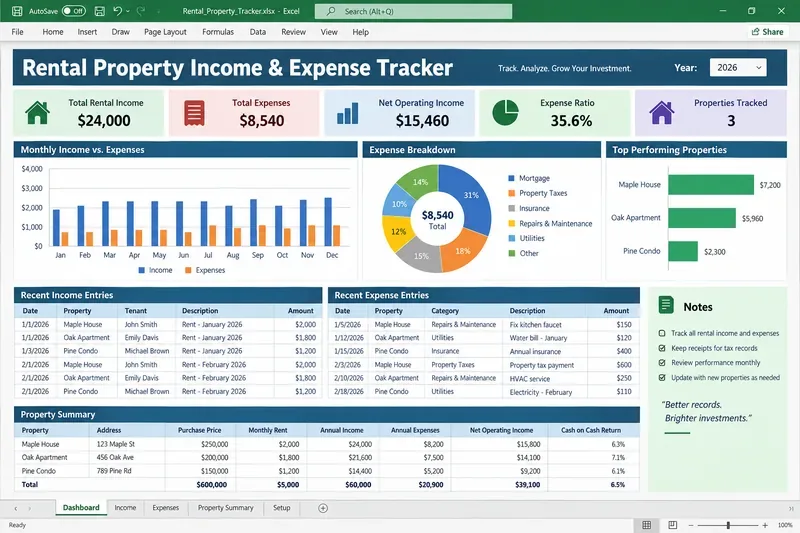
A useful free invoicing app should make the core workflow clear: add the client and service lines, confirm dates and totals, preview the invoice, and send it without unnecessary steps.
What “free invoicing” should mean for a small service business
For this comparison, “free” means you can create and send invoices without a required monthly software subscription. That does not mean online payments are free. Card and ACH processing fees still apply on most platforms, and those fees can matter more than the subscription price once your invoice volume grows.
The right free plan should pass four practical tests:
Invoice capacity: You can send enough invoices for your real workload without hitting a low annual or client cap.
Collection workflow: Clients can pay online, or you can clearly record cash, check, ACH, or other payment methods.
Follow-up visibility: You can see which invoices are draft, sent, paid, or overdue without maintaining a second spreadsheet.
Administrative fit: The app supports the estimates, recurring billing, time tracking, bookkeeping, or client portal features you actually use.
A good sign after your first month is that you spend less time re-entering customer details, checking whether an invoice was paid, or recreating recurring bills. If you still need a separate spreadsheet to track status, manually copy every payment into accounting software, or repeatedly explain payment steps to clients, the free plan may not be saving enough work.
Quick comparison: the strongest free options
App
Best fit
Key free-plan limit
Online payment cost to watch
Zoho Invoice
Best overall for feature depth
500 invoices/year, 2 users, 3 projects
Depends on connected gateway; Zoho says it adds no extra fee
Wave Starter
Best for invoicing plus basic bookkeeping
Unlimited invoices and estimates
Cards start at 2.9% + $0.60; ACH 1% with $1 minimum
Square Free
Best if you also take in-person payments
Unlimited invoices, estimates, and recurring invoices
Online/invoice card payments 3.3% + $0.30; ACH 1% with $1 minimum
PayPal Invoicing
Best for client familiarity and easy payment choice
No fee to create or send standard invoices
Cards/Apple Pay 2.99% + $0.49; PayPal/Venmo 3.49% + $0.49; ACH 1% capped at $10
Invoice Ninja Free
Best for a very small recurring client list
5 clients, unlimited invoices
Depends on the payment gateway you connect
1. Zoho Invoice: best overall free feature set
Zoho Invoice is the strongest starting point for many small service businesses because the free product includes more than basic invoice creation. According to the official Zoho Invoice pricing page, the free plan supports automated payment reminders, recurring invoices, quotes, expense tracking, time tracking, a customer portal, reporting, and branded invoice customization.
The main tradeoff is capacity. Zoho currently states that the free plan supports up to two users, three projects, and 500 invoices per year. For a consultant sending 10 to 20 invoices a month, that can be generous. For a cleaning company, mobile repair service, or tutor sending dozens of small invoices each week, 500 invoices per year can become a real ceiling.
Online payments are flexible because Zoho Invoice can connect to multiple gateways. Its official integrations page lists options such as Zoho Payments, PayPal, Stripe, Square, Authorize.Net, and others. Zoho notes that the payment processor may charge transaction fees; Zoho itself does not add an extra processing fee for integrations such as Stripe or Square.
Choose Zoho Invoice if
You bill by project or by time, want recurring invoices and reminders without paying a monthly subscription, and are unlikely to exceed 500 invoices in a year.
Switch when
Your annual invoice count approaches the limit, you need more collaborators, or your workflow expands beyond three active projects. At that point, a broader accounting or business-management platform may reduce more administrative work than staying on a constrained free plan.
2. Wave Starter: best for invoicing plus simple bookkeeping
Wave is a strong option when you want invoicing and bookkeeping in the same place. The official Wave pricing page says the Starter plan is $0 and includes unlimited estimates, invoices, bills, and bookkeeping records. That removes the invoice-count anxiety you get with capped plans.
For US card payments on Starter, Wave lists 2.9% + $0.60 for Visa, Mastercard, and Discover transactions and 3.4% + $0.60 for American Express. ACH bank payments are 1% with a $1 minimum, according to Wave's official payments page.