Home
» AI Agents
»
How to Build a Free AI Content Repurposing Pipeline with n8n and Claude (What’s Actually Free)
How to Build a Free AI Content Repurposing Pipeline with n8n and Claude (What’s Actually Free)
You can make the automation layer of an AI content repurposing pipeline free by self-hosting n8n Community Edition, but a Claude-powered n8n workflow is not guaranteed to be zero-cost end to end. That distinction matters. n8n says its self-hosted Community Edition can be used for free indefinitely, while Anthropic's Claude API is a metered developer service. The free Claude chat plan on the Claude website is not the same thing as API usage inside n8n.
As of September 11, 2026, n8n documents Community Edition as a free self-hosted edition with almost the complete core feature set. Anthropic's current API pricing lists Claude Sonnet 5 at $2 per million input tokens and $10 per million output tokens, and Claude Haiku 4.5 at $1 per million input tokens and $5 per million output tokens. Prices and models can change, so verify them before deploying. See n8n's Community Edition documentation and Anthropic's current pricing page.
So the practical version of “free” is: free n8n software on infrastructure you control, plus whatever Claude API usage your workflow generates. If you already have infrastructure and API credits, your incremental cost may be temporarily zero. If not, expect at least model-usage cost and possibly hosting cost.
What this pipeline will do
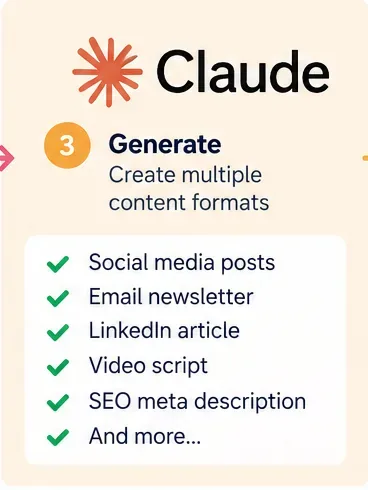
The workflow below takes one source item—such as a blog post, newsletter draft, podcast transcript, webinar transcript, or long-form note—and turns it into several structured draft assets. A useful starter output is:
One LinkedIn-style post
Three short social posts
One email subject line and intro
One short video hook and script
Five key takeaways
A review flag when the source does not contain enough information
The pipeline intentionally produces drafts first. Automatic publishing can be added later, but it is usually safer to prove content quality, formatting, source fidelity, and destination permissions before allowing an AI workflow to publish without review.
Is this approach right for you?
Situation
Recommendation
Why
You repurpose your own articles or approved company content
Good fit
The source is controlled and the transformation goal is predictable.
You need consistent drafts for several channels
Good fit
n8n can orchestrate the same transformation repeatedly.
You want a permanently zero-cost Claude API
Not a fit as stated
Claude API usage is metered; the free Claude chat plan does not make API automation free.
You need live factual research added to every draft
Use a separate research/verification stage
Repurposing should not silently turn into fact generation.
You are processing untrusted web pages or third-party documents
Add stronger input isolation and review
External content can contain instructions that should not control the workflow.
You need complex tool selection and autonomous decisions
Consider an AI Agent
A Basic LLM Chain is simpler when the job is a predictable text transformation.
The recommended architecture
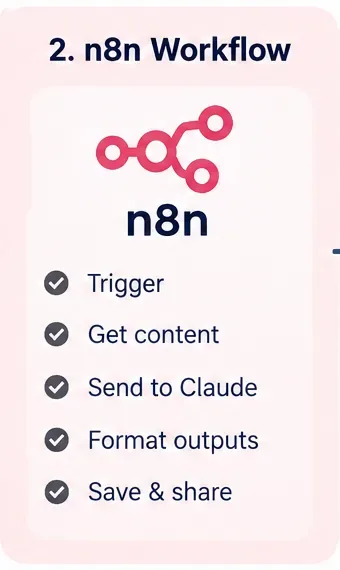
For a first version, do not start with an autonomous agent. n8n's Basic LLM Chain is designed to pass a prompt to a connected language model and can attach an output parser. That is enough for a deterministic “source in, formatted drafts out” workflow. See n8n's Basic LLM Chain documentation.
AI-generated illustration of an n8n workflow stage; it is not an actual n8n screenshot.
n8n's current documentation supports self-hosting with Docker and describes Community Edition as free. Docker is a good starting point because it makes the n8n instance easy to reproduce and gives you a persistent volume for workflow and credential data.
The official Docker guide creates an n8n_data volume, exposes port 5678, sets timezone-related environment variables, and mounts the persistent data directory. For n8n 2.x, the documentation notes that N8N_RUNNERS_ENABLED is deprecated and no longer needs to be set. Use the current command from n8n's Docker installation guide rather than copying an old command from a tutorial.
For a local proof of concept, opening http://localhost:5678 is enough. For an internet-facing production instance, do not simply expose the local port publicly. Follow n8n's hosting and security guidance for HTTPS, authentication, backups, and reverse-proxy configuration.
Use this step if: you are comfortable maintaining your own Docker host. If you do not want to patch, secure, back up, and monitor a server, n8n Cloud is easier, but it is not the permanently free option described here.
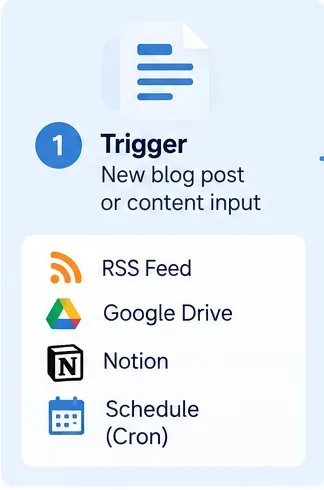
Step 2: Choose how the workflow starts
AI-generated illustration of possible workflow triggers and content sources; actual n8n node availability and configuration should be checked in your instance.
Use a Webhook when another app should send content to n8n on demand. Use a Schedule Trigger when n8n should check for content at a fixed time or interval.
n8n's Webhook node provides separate test and production URLs. The test URL is designed for development; the production URL is registered when the workflow is published. The Webhook node also supports authentication options, including Basic auth, Header auth, and JWT auth. See n8n's Webhook documentation.
For scheduled repurposing, n8n's Schedule Trigger runs at fixed times or intervals, and n8n states that the workflow must be saved and published for scheduled triggering. See n8n's Schedule Trigger documentation.
Example: if your CMS can call a webhook after an editor approves an article, use the webhook. If you keep approved source content in a folder and want a batch every weekday morning, a schedule can be simpler.
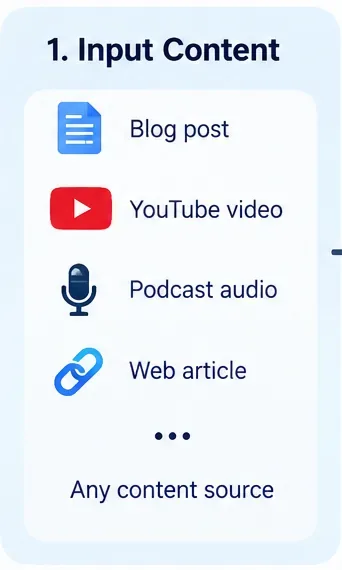
Step 3: Define one clean input contract
AI-generated illustration of source-content types that can feed a repurposing workflow; it does not depict a real n8n screen.
Do not let every source arrive in a different shape. Normalize inputs to one internal structure before calling Claude. A practical JSON payload is:
Pass the actual source text whenever practical. A URL by itself is not the same as verified source content. Fetching and parsing a page adds another failure point and can introduce navigation, cookie, advertising, or unrelated text into the prompt.
Also keep instructions separate from source material. If you ingest third-party pages, emails, or uploaded documents, treat their contents as untrusted data rather than workflow commands. Anthropic's security guidance explicitly describes indirect prompt injection as malicious instructions embedded in content the model reads. See Anthropic's prompt-injection mitigation guidance.
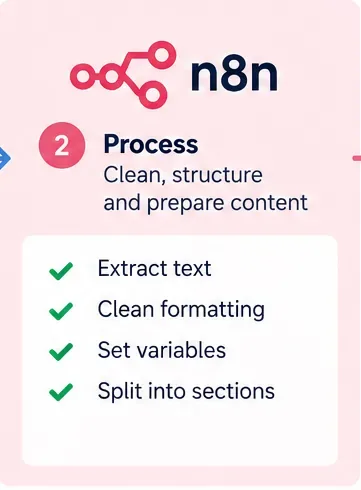
Step 4: Validate and normalize before the model call
AI-generated illustration of a preprocessing stage; it is not an actual n8n workflow screenshot.
Before spending tokens, reject bad input. At minimum, check that source_id, title, and source_text exist and that source_text is not empty. Normalize obvious formatting noise, but preserve facts, quotations, URLs, headings, and other source details that Claude may need.
A useful preprocessing stage can:
Trim leading and trailing whitespace
Convert repeated blank lines to a consistent format
Set default audience and voice values
Reject source text below a minimum useful length
Create a stable source_id for deduplication
Record the requested output types
Do not split a normal article into many model calls unless you actually need to. Multiple calls increase orchestration complexity and can produce inconsistent tone. For large source material, consider summarizing or chunking deliberately rather than accidentally truncating input.
Step 5: Connect Claude correctly—and understand the cost
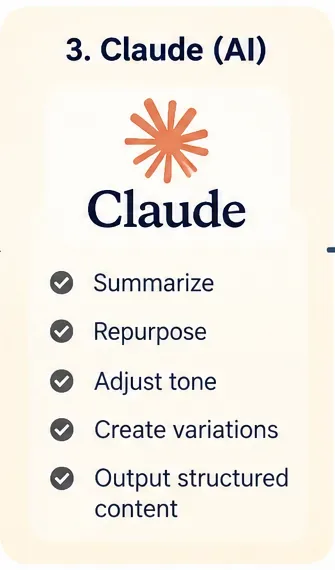
AI-generated illustration of Claude's role in the workflow; it is not an Anthropic Console or n8n screenshot.
n8n provides an Anthropic Chat Model node and Anthropic credentials that use an API key. n8n's credential documentation directs users to create a key in the Anthropic Console and store it in the n8n credential rather than hardcoding it in workflow text. See n8n's Anthropic credential documentation and n8n's Anthropic Chat Model documentation.
For this pipeline, connect the Anthropic Chat Model to a Basic LLM Chain. A practical model choice depends on your quality and cost target:
Model choice
When it makes sense
Current API pricing checked Sep. 11, 2026
Claude Haiku 4.5
High-volume, simpler rewrites and first drafts
$1/MTok input; $5/MTok output
Claude Sonnet 5
Stronger default for nuanced multi-format repurposing
$2/MTok input; $10/MTok output
Claude Opus 5
Only when the task genuinely needs deeper reasoning
$5/MTok input; $25/MTok output
The prices above come from Anthropic's current pricing page and can change. Also avoid copying old model IDs from older tutorials. Anthropic maintains a model deprecation page because models are periodically deprecated and retired. Check Anthropic's model deprecation documentation before hardcoding a model name.
Step 6: Use one prompt that preserves source fidelity
AI-generated illustration of multi-format content generation; the listed outputs are examples, not guaranteed product features.
The prompt should make the transformation boundary explicit: Claude may reframe and compress the source, but it should not invent facts that are not present. Anthropic's current prompting guidance recommends clear instructions and structured tags for complex inputs. See Anthropic's prompting best-practices documentation.
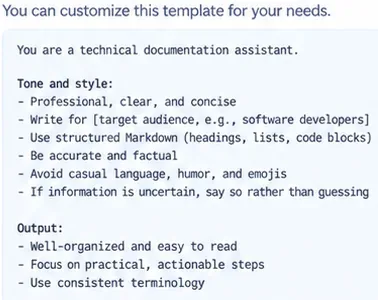
A practical system message is:
You are a content repurposing editor.
Use only factual claims supported by the supplied source.
Do not invent statistics, quotes, customer results, dates, or product capabilities.
Preserve the original meaning while adapting format and tone.
If an output requires information not present in the source, set needs_review to true
and explain the missing information in review_notes.
Return the requested structured fields only.
Example: if the source says a product launched in May but never gives customer numbers, Claude may turn the launch fact into a shorter post, but it should not add “10,000 customers” to make the post sound stronger.
Step 7: Force structured output instead of parsing prose
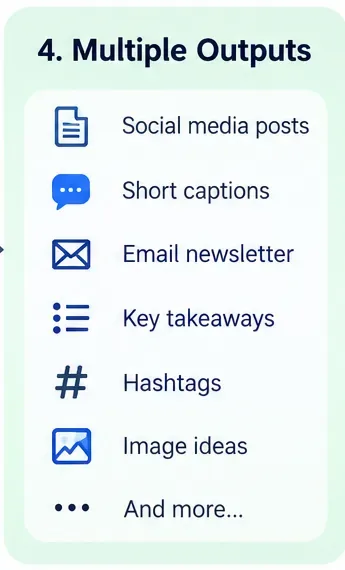
AI-generated illustration of structured content outputs; it is not a screenshot of Claude's API response.
Free-form text is awkward to route. If Claude returns headings that change from one execution to the next, downstream nodes become brittle. n8n's Structured Output Parser can return fields based on a JSON Schema, and the Basic LLM Chain can require a specific output format. See n8n's Structured Output Parser documentation.
If you choose to call the Claude Messages API directly with n8n's HTTP Request node instead of using the Anthropic Chat Model integration, Anthropic also supports native structured outputs through output_config.format on supported models. See Anthropic's Structured Outputs documentation and Claude Messages API reference.
Step 8: Save drafts, review them, then automate publishing
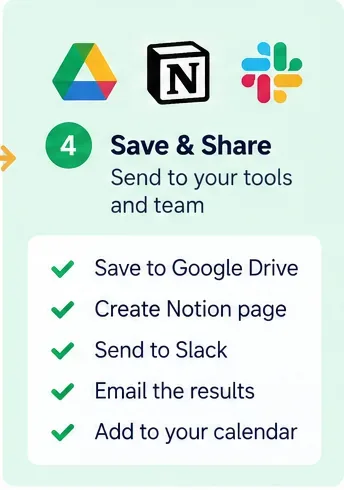
AI-generated illustration of draft destinations; it is not a screenshot of a live integration or proof that any account is connected.
For the first production version, store the generated fields in a review location rather than sending them directly to public channels. Common destinations include a database, Google Drive, Google Sheets, Notion, a CMS draft, or an internal review message.
Use needs_review as a hard gate. Also consider a human review step for anything that sends an external message or changes a production system. n8n currently supports human-in-the-loop approval for AI tool calls, where a reviewer can approve or deny selected actions. See n8n's human-in-the-loop documentation.
Recommended rollout:
Week 1: generate drafts only.
Week 2: compare outputs with the source and fix prompt/schema failures.
Week 3: allow approved drafts to move automatically into destination draft folders.
Only after the workflow is stable: consider automatic publishing for low-risk formats.
A concrete end-to-end n8n workflow
For a simple webhook-driven version, create these nodes in order:
#
Node
Purpose
1
Webhook
Receive the approved source item.
2
Edit Fields / Code
Normalize field names and defaults.
3
If
Reject missing or empty source text.
4
Basic LLM Chain
Hold the repurposing instructions and dynamic source content.
5
Anthropic Chat Model
Generate the repurposed drafts.
6
Structured Output Parser
Enforce stable JSON fields.
7
If
Route needs_review=true to manual review.
8
Destination node
Save approved output as drafts.
9
Respond to Webhook
Return status and generated record ID to the caller.
If you prefer a scheduled pipeline, replace the Webhook with a Schedule Trigger and add a source node that retrieves approved, unprocessed items.
How to avoid repurposing the same source twice
Add an immutable source_id to every item and store processed IDs. Before Claude runs, check whether that ID has already completed successfully. This is basic idempotency: repeating the same trigger should not create duplicate drafts unless you explicitly ask for a new version.
For revisions, use a compound key such as source_id + source_revision. That lets version 2 of an article generate new drafts without pretending it is the same source as version 1.
How to reduce Claude API cost
Model choice is only one lever. The biggest avoidable cost is often sending unnecessary text or generating unnecessarily long outputs.
Remove navigation, boilerplate, and unrelated HTML before the model call.
Ask only for formats you actually need.
Set sensible output-length constraints in the prompt.
Use Haiku 4.5 for simple high-volume transformations when quality is sufficient.
Use Sonnet 5 when the source requires more nuance or stronger cross-format adaptation.
Do not send the same long brand guide on every call if you can represent it with concise stable instructions.
Measure token usage and cost rather than assuming a short workflow is cheap.
Anthropic also offers prompt caching and batch processing for applicable workloads, but those features have their own requirements and pricing. Do not add them to the first workflow unless repeated context or non-urgent high-volume processing makes the additional complexity worthwhile.
Three failure modes to test before publishing
1. Hallucinated facts
Feed the workflow a source that intentionally omits a statistic. The expected behavior is that the output does not invent one. If it does, strengthen the source-fidelity instructions and review gate.
2. Broken structured output
Test every required field, empty arrays, unusually long source text, and special characters. A pipeline is not reliable merely because one attractive demo output looked correct.
3. Duplicate executions
Send the same source_id twice. The second run should stop, update the existing record, or intentionally create a revision according to your design—not silently duplicate every draft.
Do you need an AI Agent for this?
Usually, no. An AI Agent is helpful when the model must decide which tools to call or take different actions based on an open-ended objective. Content repurposing is normally a predictable transformation, so a chain is easier to inspect, test, and control.
Move to an agent only when you have a concrete need such as dynamically choosing research tools, deciding which destination receives a draft, or asking a human for missing information. Even then, keep irreversible publishing actions behind explicit review until the workflow is well tested.
Final build checklist
Self-host n8n Community Edition if you want the n8n software layer to remain free.
Do not describe Claude API usage as permanently free.
Use a Webhook for on-demand processing or Schedule Trigger for timed batches.
Normalize every source into one input contract.
Pass source text, not only a URL.
Store the Anthropic API key in n8n credentials.
Use an active Claude model and check the deprecation page periodically.
Use a Basic LLM Chain for predictable repurposing.
Require a structured output schema.
Add needs_review and review notes to the schema.
Deduplicate with a stable source ID.
Save drafts before enabling automatic publication.
Test hallucinations, malformed inputs, duplicate triggers, and failure paths.
Monitor token usage and external-service costs.
The best first version is deliberately boring: one clean input, one controlled Claude call, one validated JSON response, and one draft destination. That architecture is easy to debug and inexpensive to operate. Once it works reliably on real source material, you can add more channels, scheduling, human approvals, analytics, or publishing integrations without rebuilding the core pipeline.