Home
» AI Agents
»
How to Auto-Generate SEO Meta Titles and Descriptions Using Local Ollama
How to Auto-Generate SEO Meta Titles and Descriptions Using Local Ollama
You have 300 product, documentation, or blog pages ready to publish, but the metadata column is still blank. Writing every title and meta description by hand is slow; copying one pattern across the site produces repetitive results; and asking a local language model for “an SEO title” often returns extra commentary, invented claims, or inconsistent formatting.
A better approach is to treat metadata generation as a small data pipeline: give the model only page-specific evidence, require structured output, validate it in code, then review exceptions before publishing. Ollama is well suited to this workflow because its local API is available at http://localhost:11434/api after installation, and Ollama supports JSON-schema structured outputs. The Ollama and Google Search documentation referenced here was checked on September 13, 2026.
Why automatic SEO metadata goes wrong
Most failures come from the workflow around the model rather than from a single “bad prompt.” Common causes include feeding too little page content, letting the model answer in free-form prose, applying the same keyword formula to every URL, and publishing output without site-level duplicate checks.
There is also a persistent misconception about character limits. Google says there is no fixed length limit for a page’s <title> element or meta description; title links and snippets are truncated as needed, typically according to device width. Google may also generate a different title link or snippet from page content when its systems consider another representation more useful. See Google’s official guidance for title links and snippets and meta descriptions.
That means a script can enforce editorial length bounds for consistency, but it should not label those numbers as Google requirements. In the example below, 65 characters for the title and 165 for the description are internal guardrails only. Change them to match your CMS, brand, localization needs, and review process.
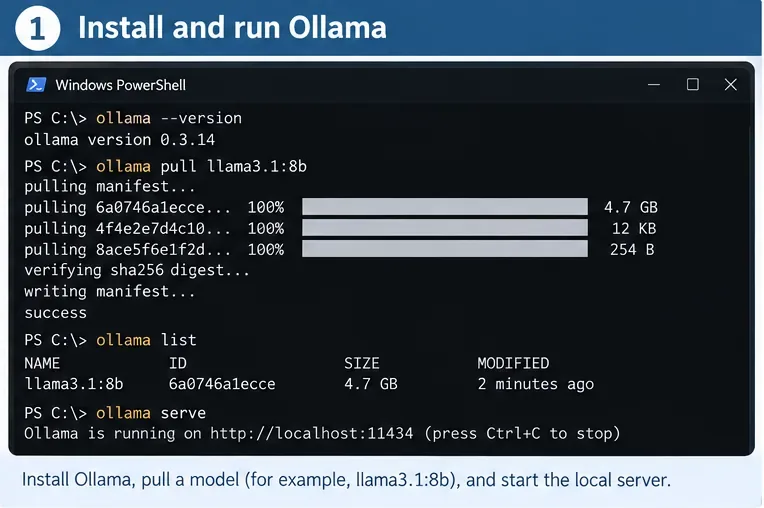
Step 1: Install Ollama and confirm the local API works
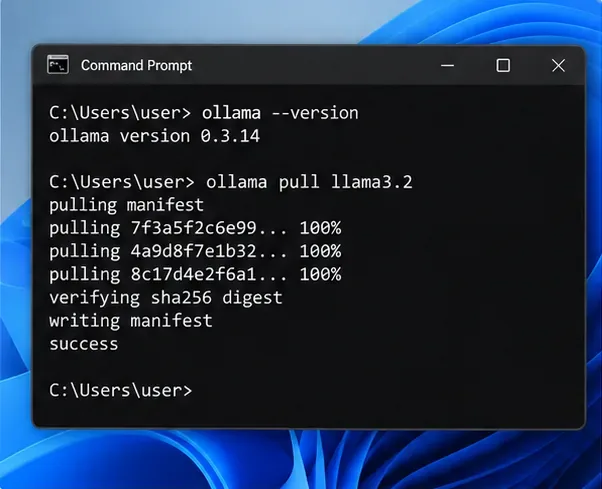
Ollama’s official quickstart lists macOS, Windows, and Linux support. After installation, download a local model. Ollama’s current documentation frequently uses gemma3 in API examples, so it is a convenient neutral example for this tutorial:
ollama pull gemma3
Then test the local endpoint:
curl http://localhost:11434/api/generate -d '{"model":"gemma3","prompt":"Reply with the word ready.","stream":false}'
The Ollama API documentation states that the local API is served at http://localhost:11434/api. Ollama also states that local access on this address does not require authentication. If your local service is not running, ollama serve is the documented CLI command for starting it. Avoid substituting a -cloud model if your goal is genuinely local inference.
A terminal workflow for the setup stage: verify Ollama, pull a local model, confirm it appears in the local model list, and make sure the service is available on localhost. The model name and length figures shown are example workflow values rather than SEO requirements.
Choose a model according to your hardware
This article intentionally does not claim that one model is universally best for SEO metadata. Model availability and hardware fit change over time, and larger models require more memory and generally respond more slowly. Start with a model your machine can run comfortably, generate a small review set, then compare factual accuracy, uniqueness, latency, and consistency before processing thousands of pages.
Step 2: Force structured output instead of parsing prose
Free-form text is fragile for automation. A response such as “Here are three great options…” forces your program to guess where the actual title begins. Ollama’s structured outputs documentation supports passing a JSON schema in the format field. The documentation also recommends reusable schemas through Pydantic in Python and notes that a low temperature, such as 0, can improve determinism.
Install the two Python packages used in this example:
python -m pip install -U ollama pydantic
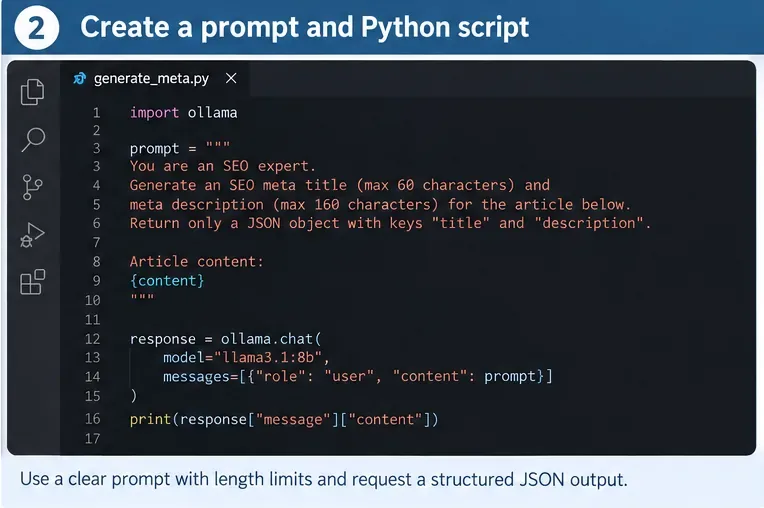
Then create generate_meta.py:
from ollama import Client
from pydantic import BaseModel, Field

MODEL = "gemma3"
client = Client(host="http://localhost:11434")

class SeoMeta(BaseModel):
    title: str = Field(min_length=10, max_length=65)
    description: str = Field(min_length=70, max_length=165)

SYSTEM = """
You create SEO metadata from the page content supplied by the user.

Rules:
- Accurately describe only what is present in the page content.
- Write a concise, descriptive title.
- Write a useful meta description that distinguishes this page from other pages.
- Do not repeat keywords unnaturally.
- Keep the same primary language as the page.
- Do not invent prices, dates, features, guarantees, statistics, or claims.
- The length bounds in the JSON schema are our editorial limits, not Google rules.
- Return only the structured result required by the schema.
"""

def generate_meta(url: str, source_title: str, h1: str, body_text: str) -> SeoMeta:
    prompt = f"""
URL: {url}
Current title: {source_title}
H1: {h1}

Page text:
{body_text[:12000]}

Create one meta title and one meta description for this page.
"""
    response = client.chat(
        model=MODEL,
        messages=[
            {"role": "system", "content": SYSTEM},
            {"role": "user", "content": prompt},
        ],
        format=SeoMeta.model_json_schema(),
        options={"temperature": 0},
    )
    return SeoMeta.model_validate_json(response.message.content)

if __name__ == "__main__":
    result = generate_meta(
        url="https://example.com/guides/clean-cast-iron",
        source_title="Cast Iron Guide",
        h1="How to Clean a Cast-Iron Skillet Without Damaging the Seasoning",
        body_text=(
            "This guide explains how to remove stuck food, wash a cast-iron "
            "skillet, dry it thoroughly, and apply a thin layer of oil..."
        ),
    )
    print(result.model_dump_json(indent=2))
The generator should be explicit about the page evidence, the output fields, and the editorial constraints. In production, prefer Ollama’s JSON-schema structured output and application-side validation over relying on prompt wording alone.
Why the prompt includes the current title and H1
Google says its title-link system can consider the page’s <title>, main visual title, headings such as <h1>, og:title, prominent text, anchor text, and other signals. Your local generator does not need to reproduce Google’s system, but giving it the source title, H1, URL, and representative body text helps keep the proposed metadata aligned with the page readers will actually see.
Do not feed unrelated keyword lists and ask the model to “fit them in.” Google explicitly recommends descriptive, concise titles and warns against keyword stuffing and repeated boilerplate. For descriptions, Google says page-specific programmatic generation is appropriate for large database-driven sites when the descriptions are accurate, human-readable, and diverse.
Step 3: Run one page, then validate before you scale
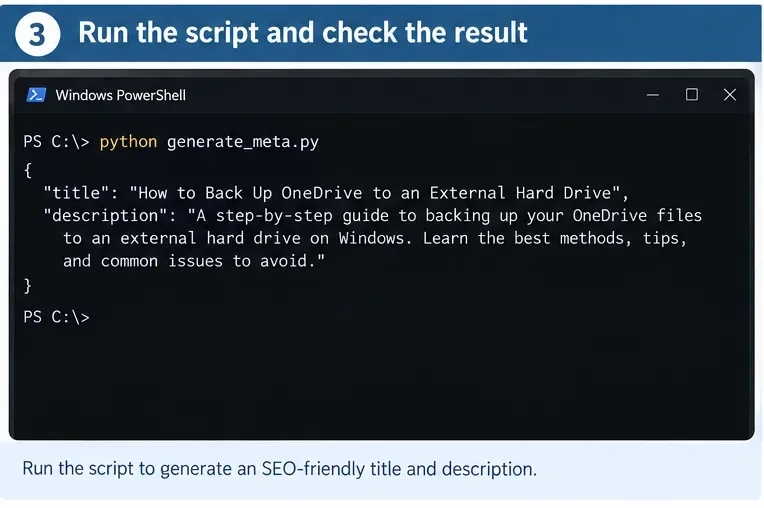
Run the script:
python generate_meta.py
A successful result should be a JSON object that Pydantic can validate. More importantly, a human reviewer should be able to compare it with the source page and answer four questions quickly:
Does the title describe this exact page rather than the general website?
Does the description avoid claims, dates, prices, or features that are absent from the source content?
Would this metadata still make sense if read without the page body?
Is it distinct from metadata already used on nearby pages?
Test one representative page first and inspect the structured result before starting a batch job. A parseable JSON response is necessary, but factual accuracy and page-level relevance still require validation.
Add retries for editorial failures, not just API errors
A schema can restrict data types and lengths, but it cannot guarantee that a sentence is truthful or sufficiently specific. Build retry logic around checks you can measure. For example, reject an empty field, a duplicate title, forbidden boilerplate, or a description that repeats the title almost word for word. If the page contains regulated or high-stakes claims, require human review rather than trying to automate confidence away.
Keep retry prompts narrow. Instead of regenerating everything with “make it better,” tell the model what failed: “The proposed title duplicates another page. Rewrite it using the unique topic in the H1 while keeping every claim grounded in the supplied content.” This makes failures easier to audit.
Step 4: Batch pages to CSV for review and publishing
Once the one-page test is reliable, store your inputs in a CSV with columns such as url, source_title, h1, and content. The content field should contain cleaned page text, not navigation menus, cookie notices, or thousands of unrelated footer links.
Add this batch logic below the generator function or place it in a separate script:
import csv

rows = []
seen_titles = set()

with open("pages.csv", newline="", encoding="utf-8") as f:
    for row in csv.DictReader(f):
        meta = generate_meta(
            url=row["url"],
            source_title=row.get("source_title", ""),
            h1=row.get("h1", ""),
            body_text=row["content"],
        )

        flags = []
        normalized = meta.title.casefold().strip()
        if normalized in seen_titles:
            flags.append("duplicate_title")
        seen_titles.add(normalized)

        rows.append({
            **row,
            "generated_title": meta.title,
            "generated_description": meta.description,
            "title_length": len(meta.title),
            "description_length": len(meta.description),
            "qa_flags": ",".join(flags),
        })

with open("seo_meta_output.csv", "w", newline="", encoding="utf-8") as f:
    fieldnames = list(rows[0].keys())
    writer = csv.DictWriter(f, fieldnames=fieldnames)
    writer.writeheader()
    writer.writerows(rows)
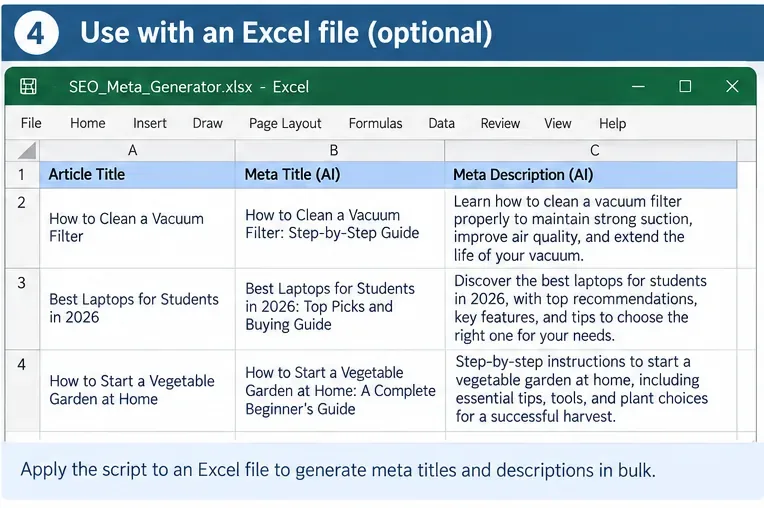
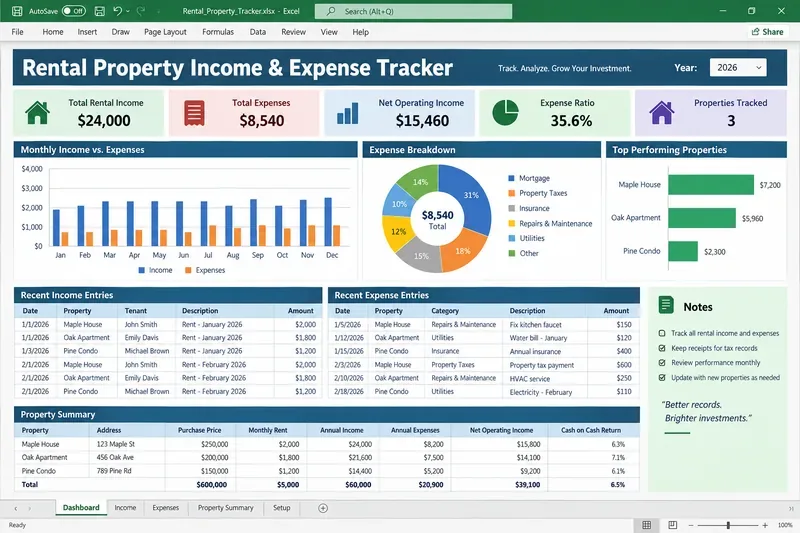
The output CSV can be reviewed in Excel, LibreOffice, a database import tool, or your CMS workflow. Do not automatically overwrite live metadata on the first run. Keep the original title and description alongside the generated proposal so reviewers can compare them and so rollback is straightforward.
A spreadsheet review queue makes bulk generation easier to audit: retain the source page identifier, generated title, generated description, lengths, and QA flags before publishing changes.
Make the batch pipeline safer
Check
What to flag
Why it matters
Schema validation
Missing or invalid fields
Prevents malformed output from entering the CMS.
Duplicate title check
Same normalized title on two URLs
Helps keep pages distinguishable.
Language check
Metadata language differs from page language
Google recommends matching the primary language and writing system of the page.
Evidence check
Numbers, prices, dates, brands, or guarantees absent from source
Reduces hallucinated claims.
Boilerplate check
Long repeated site-wide phrases
Google advises against repeated boilerplate titles.
Editorial length check
Outside your chosen house range
Keeps CMS output consistent; this is not a Google character-limit rule.
Human review
Strategic, sensitive, high-traffic, or ambiguous pages
Automation should surface exceptions, not hide them.
Common problems, from easiest fix to hardest
The API connection fails
First confirm that Ollama is running and that http://localhost:11434 is reachable. The official authentication documentation states that authentication is not required for the local API. If your script is accidentally pointing at https://ollama.com/api, that is a different hosted endpoint and requires authentication.
The response contains prose around the JSON
Use the schema through format=SeoMeta.model_json_schema() rather than asking for JSON only in natural language. Structured output is the right control layer for a production pipeline.
The titles all sound the same
Feed page-specific H1 text and meaningful body content, remove global navigation noise, and explicitly ask for a page-specific description. Then run a cross-page duplicate and similarity check. Repetition is often an input problem before it is a model problem.
The model invents features or statistics
Reduce the input to authoritative page text and strengthen the grounding rule: no factual claims beyond the supplied content. For important pages, compare generated assertions against structured source fields before approval. If the source itself is ambiguous, send the row to human review instead of repeatedly prompting the model to guess.
The model is too slow for thousands of pages
Measure before changing architecture. Log generation time per page, input size, model name, and failure rate. Truncate irrelevant body text, process stable page sections, and test a smaller local model if quality remains acceptable. The fastest model is not useful if its metadata creates more review work than it saves.
Optional: use an existing OpenAI-style integration
If you already have code written for an OpenAI-compatible client, Ollama documents partial OpenAI API compatibility at http://localhost:11434/v1/. That can reduce migration work. For a new local-only metadata tool, the native Ollama Python client is simpler and exposes structured-output examples directly in Ollama’s documentation.
How to self-check the finished system
Before calling the automation complete, create a review set containing different content types: a short article, a long guide, a product page, a category page, a page with numbers, and a page in every supported language. Run the same model and prompt across all of them, then verify the following checklist.
The local endpoint is localhost and the selected model is a local model, not a cloud-tagged model.
Every response validates against the schema without manual JSON cleanup.
No generated title is duplicated across the review set.
Every factual claim appears in the supplied page content.
The metadata uses the same primary language and writing system as the page.
The title is descriptive and concise without repeated keywords.
The description summarizes the specific page rather than the site as a whole.
Your internal length guardrails are labeled as editorial rules, not Google requirements.
The old metadata, generated proposal, QA flags, model name, and prompt version are saved for audit and rollback.
A reviewer knows which flags require manual approval before publishing.
Finally, remember what automation can and cannot control. A good <title> and meta description give search engines useful page-level signals, but Google can generate title links and snippets from other page content. The goal is therefore not to force a particular search-result rendering. The goal is to produce accurate, distinct, useful metadata at scale while preserving enough validation and review to catch mistakes before they reach production.