Home
» AI Agents
»
How to Fix “Context Window Exceeded” in Long Document Analysis Without Losing Key Evidence
How to Fix “Context Window Exceeded” in Long Document Analysis Without Losing Key Evidence
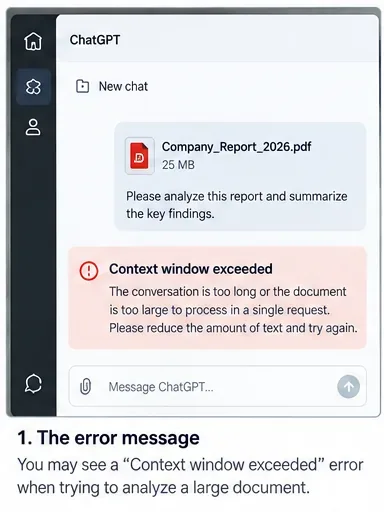
You upload a long report, ask for a thorough analysis, and instead of an answer you get a message such as “Context window exceeded,” “maximum context length exceeded,” or another warning that the request is too large. The frustrating part is that the file may have uploaded successfully, and the same document may even have worked for a narrower question.
The reason is simple but easy to miss: an upload limit and a model’s context window are not the same thing. A model has to fit the material it is actively considering into a finite token budget. That budget can include your instructions, conversation history, text pulled from files, tool definitions, retrieved passages, reasoning tokens, and room for the answer. A document can therefore be legal to upload yet still be too large to analyze in one pass.
The best fix is usually not to keep retrying the same giant prompt. Start with the least disruptive changes, then move to chunking, retrieval, or a larger-context workflow only if the simpler approach still fails.
First, confirm that the error is really a context-window problem
Before changing the document, distinguish a context error from an upload or storage limit. OpenAI’s current file-upload guidance says that files uploaded to ChatGPT or a GPT have a hard 512 MB per-file limit, while text and document files are capped at 2 million tokens per file. Those are upload limits, not a promise that all of that text will be placed into a model’s active context at once.
OpenAI’s File Uploads FAQ is the authoritative place to check current upload limits. Exact limits vary by product, plan, model, and provider, so do not assume a number copied from an old article still applies.
What you see
Likely bottleneck
Best first move
The file is rejected before analysis starts
File-size, file-type, storage, or upload quota
Check current upload rules
The file uploads, but a long prompt fails with a context error
Active request exceeds the model’s context budget
Shorten the request and reduce active context
The answer covers early pages but misses later sections
Not all material was placed directly in context, or retrieval missed relevant passages
Ask narrower questions or split by section
A conversation worked earlier but fails after many turns
Accumulated chat history is consuming context
Start a fresh analysis thread with a compact handoff summary
A context-window error can appear after a document uploads successfully because the active request still has to fit within the model’s token budget.
Step 1: Measure the document before you change it
Page count and megabytes are useful clues, but tokens are the measure that matters for text context. Tokenization depends on language, formatting, punctuation, and the model’s encoding, so a 100-page technical manual can consume a very different number of tokens from a 100-page slide deck.
OpenAI’s token-counting guidance recommends checking the target model’s context window and leaving room for output and, for reasoning models, reasoning tokens. It also notes that message structure, tools, files, images, and schemas can add tokens beyond the plain text you count.
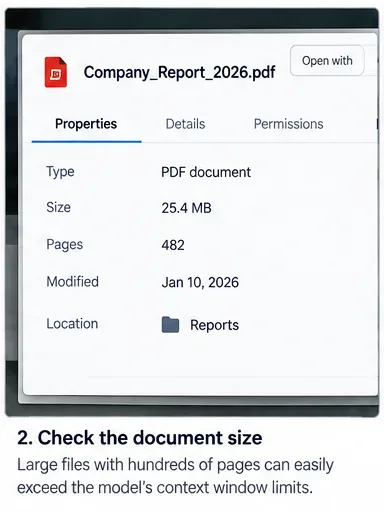
For a quick triage, record the file’s page count, rough word count, number of major sections, and whether it contains appendices, repetitive legal language, raw logs, transcripts, tables, or references you do not actually need for the task.
Check the document’s scale before troubleshooting. File size and page count are only proxies; token usage is the more relevant limit for text analysis.
Step 2: Reduce the active conversation before touching the file
If the document is not extraordinarily large, the cheapest fix may be to remove accumulated context rather than split the file. Start a fresh chat or request and carry over only the instructions that matter. Replace a long back-and-forth conversation with a short handoff such as: “Analyze the attached report for revenue drivers, material risks, and management guidance. Return five findings with page or section references.”
Also remove repeated background material, examples that are no longer needed, duplicate pasted text, and prior draft outputs. If you are using an API workflow, count the complete request rather than the document alone. A request that barely fits leaves little room for the answer and may fail unpredictably as instructions or tool schemas grow.
Success sign: the same file works in a fresh thread with a focused prompt. If so, the problem was at least partly accumulated context, not the document by itself.
Step 3: Narrow the question and the requested output
“Analyze everything in this 400-page document and write a comprehensive report” forces the system to consider many topics at once. Ask one question at a time instead. For example, first request the document’s principal risks, then its financial assumptions, then contradictions between management claims and supporting data.
Keep the answer format bounded. A request for a 20-page output consumes far more output budget than a request for a 10-row evidence table. You can always expand the final answer after the evidence has been collected.
A useful focused prompt is: “Using only this document, identify up to eight claims relevant to customer churn. For each claim, give the section or page reference, a one-sentence explanation, and any stated limitation. If the document does not contain enough evidence, say so.”
When to move on: if a focused question still produces the same error, or if you need reliable coverage of the entire document rather than one topic, split the source.
Step 4: Split the document by meaning, not just by equal page counts
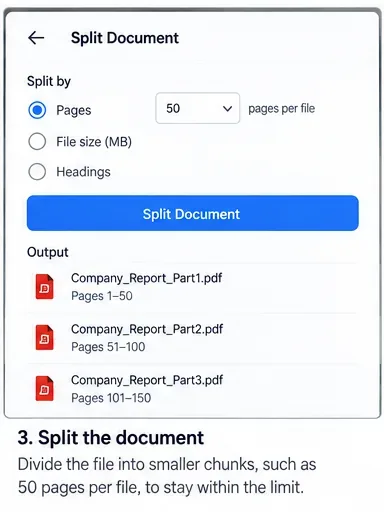
Chunking is the most dependable general-purpose fix for very long documents. Divide the file at natural boundaries such as chapters, report sections, contracts, appendices, date ranges, or speaker turns. Logical chunks preserve context better than arbitrary cuts every 50 pages.
If a section depends heavily on the previous one, include a small overlap or a short bridge note describing the preceding section. Name parts clearly, for example 01_Executive_Summary.pdf, 02_Financial_Results.pdf, and 03_Risk_Factors.pdf. Keep original page numbers when possible so the final synthesis can be audited.
Break a very long source into logical, clearly named sections. Preserve original page or section references so later synthesis can be checked against the source.
Step 5: Analyze each chunk with the same evidence schema
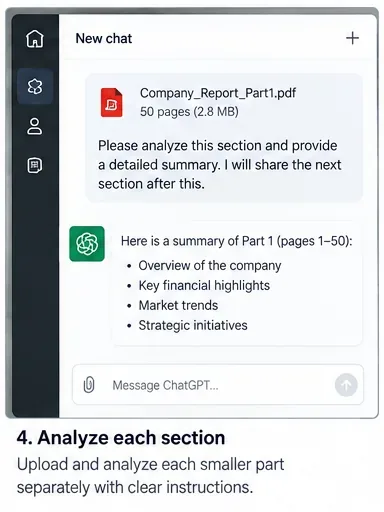
Do not merely ask for a free-form summary of each part. Use the same structure for every chunk so the outputs can be merged without losing important differences. A practical schema might contain section name, key findings, supporting evidence, page or heading reference, uncertainties, and open questions.
For example: “Analyze only Part 3. Return: (1) five or fewer material findings, (2) the evidence for each finding, (3) the original page or section reference, (4) any caveat stated by the author, and (5) questions that must be checked in another section. Do not infer facts that are not in this part.”
This approach also makes quality easier to judge. If a chunk summary contains claims without source locations, correct that chunk before proceeding rather than hoping the final synthesis will repair it.
Analyze one section at a time with a fixed output format so each partial result can later be combined and traced back to the source.
Step 6: Build a summary of summaries instead of reloading every full chunk
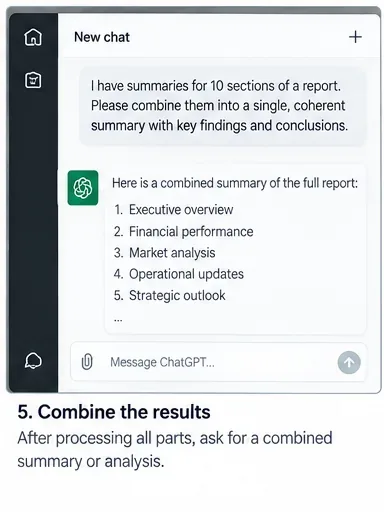
Once the parts are analyzed, create a compact evidence pack from the chunk outputs and synthesize that. Do not automatically send every original chunk plus every summary back into one final request; that can recreate the same context problem.
The synthesis prompt should tell the model to preserve disagreements and gaps. For example: “Combine these section analyses into one report. Merge duplicate findings, retain conflicting evidence as separate points, preserve all source references, and flag any question that cannot be resolved from the summaries.”
This hierarchical method is particularly useful for books, regulatory filings, discovery sets, long interview collections, and multi-document research. Its main limitation is information compression: details omitted during a chunk summary cannot magically reappear later. That is why the evidence schema and source references matter.
Combine compact section analyses rather than reloading all source text. Preserve citations, disagreements, and unresolved questions during synthesis.
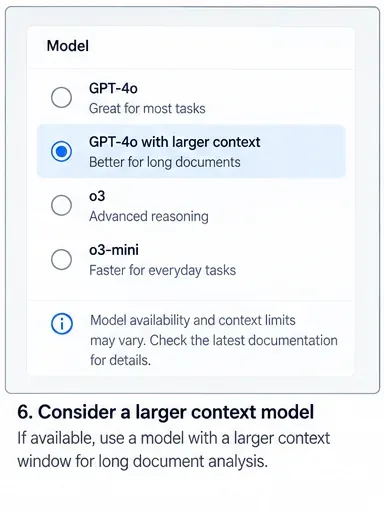
Step 7: Consider a larger-context model, but do not treat it as a complete solution
A model with a larger context window can reduce how aggressively you need to chunk. OpenAI’s current model documentation lists context-window and maximum-output limits for API models, and those figures can change as models are updated.
However, a model’s headline context size is not necessarily the amount of an uploaded file that a product places directly into the prompt. OpenAI’s Enterprise-specific file guidance currently describes a separate “context stuffing” process for uploaded text documents: up to 110,000 tokens from uploaded documents may be placed directly in context, with additional material available through a private search index. OpenAI explicitly says this behavior is under active development and subject to change. See Optimizing File Uploads in ChatGPT Enterprise.
The practical lesson is to choose a larger-context model when it materially simplifies the workflow, but still test whether the relevant sections are actually being considered. Larger context does not remove the need for good scoping, source references, or verification.
A larger-context model can help, but verify the limits for the exact model and product surface you are using rather than relying on a generic number.
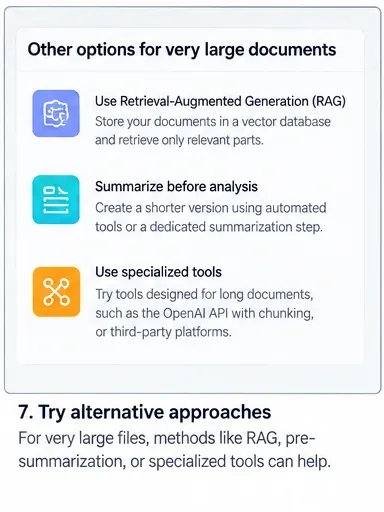
Step 8: For very large corpora, switch from “stuff everything” to retrieval
If the task involves hundreds or thousands of pages, retrieval is usually a better architecture than trying to fit the entire corpus into one prompt. Retrieval systems index the source, search for passages relevant to the current question, and place only those passages into active context.
OpenAI’s File Search documentation describes a hosted tool for searching uploaded files through vector stores. Retrieval works especially well for targeted questions such as “Which sections define termination for convenience?” or “Where does the report discuss supply-chain concentration?”
Retrieval is less reliable when the task truly requires simultaneous awareness of every passage, such as proving that a topic never appears, comparing every table cell across a massive collection, or producing an exhaustive line-by-line transformation. In those cases, use systematic batching or code-based preprocessing in addition to retrieval.
For corpora that remain too large after chunking, retrieval can bring only the most relevant passages into the active context for each question.
Advanced API fix: control truncation deliberately
Developers using the OpenAI Responses API have an additional choice. The API reference documents a truncation setting: with disabled, which is the documented default, a request that would exceed the model’s context window fails; with auto, earlier conversation items can be dropped to make the request fit. See the Responses API reference.
Automatic truncation can prevent a hard failure, but it changes the information available to the model. For document analysis, silently dropping early context may be worse than receiving an error. Use it only when your application is designed so that older conversation items are expendable or already summarized elsewhere.
How to verify that the fix actually worked
A successful request is not enough. The goal is a defensible analysis that covers the right material without silently losing evidence. Test the result before you consider the problem solved.
Coverage check: confirm that every required chapter, date range, or source file appears in the analysis plan or final evidence table.
Traceability check: sample important claims and verify their page, section, or file references against the original source.
Boundary check: inspect findings near chunk boundaries to make sure a concept was not split or contradicted across parts.
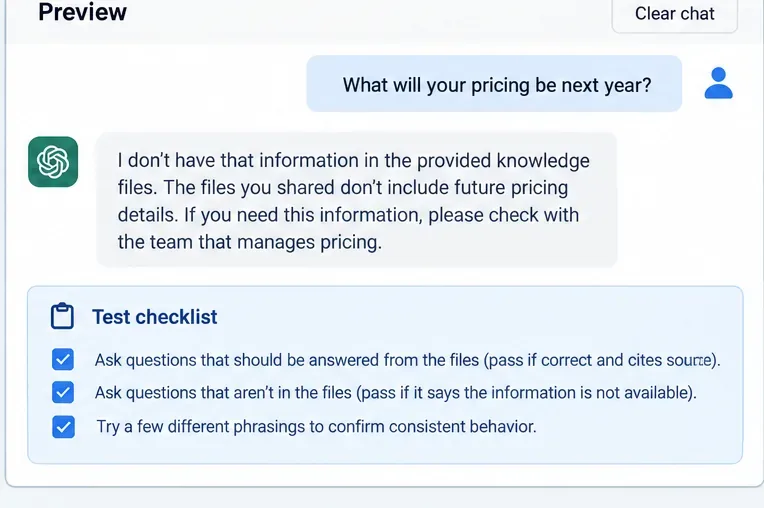
Negative-control check: ask one question whose answer is known to be absent. A good workflow should say the evidence is not present rather than inventing it.
Repeatability check: rerun a few representative questions. Large changes in cited evidence may indicate weak retrieval or an overly broad prompt.
Budget check: if you use an API, inspect actual input and output token usage instead of relying only on rough word-count estimates.
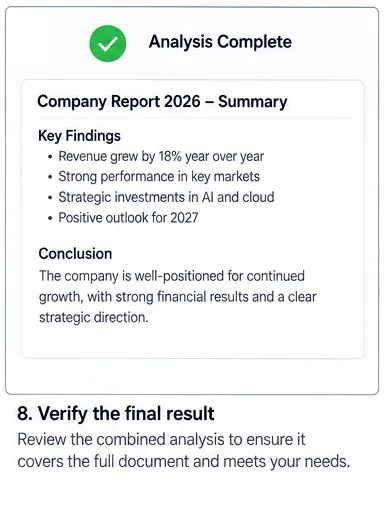
The final step is verification: check coverage, source references, chunk boundaries, and unsupported claims before trusting the combined analysis.
What not to do
Do not keep resubmitting the identical oversized request and expect a different token limit. Do not delete source references during chunking. Do not assume that a file being accepted means every page is active in context. And do not solve the error by shortening the answer so aggressively that the analysis can no longer satisfy the task.
Also avoid treating automatic truncation as invisible magic. If the system drops older items, the request may succeed while losing instructions or evidence that mattered. For high-stakes analysis, explicit chunking and retrieval are usually easier to audit.
A practical decision rule
If a fresh thread and a narrower question work, keep the workflow simple. If the task needs broad coverage of one long document, split it by logical sections and synthesize structured chunk analyses. If you repeatedly query a very large document collection, use retrieval. If you control the API and still approach the limit, measure tokens, reserve output room, select an appropriate model, and make truncation behavior an explicit design decision.
The strongest result is not the one that crams the most text into a single request. It is the one that covers the required evidence, preserves traceability, and makes it obvious when information was not available.