Home
» AI Agents
»
How to Create Custom GPTs That Dont Forget Their Knowledge Files
How to Create Custom GPTs That Dont Forget Their Knowledge Files
Current status, checked September 13, 2026: OpenAI says personal ChatGPT accounts, including Free, Go, Plus, and Pro, cannot create or publish new GPTs. Existing GPTs can still be used and, where eligible, edited. In Business, Enterprise, and Edu workspaces, creation depends on workspace settings and permissions. OpenAI also says Custom GPT workflows are being moved toward Plugins, with a migration flow targeted for September 17, 2026 and retirement planned for affected Enterprise GPTs on December 11, 2026. If you are reading this later, verify the latest status in OpenAI's Creating and editing GPTs documentation before building a new workflow.
A Custom GPT that seems to “forget” a knowledge file usually has not lost the file. OpenAI's File Uploads FAQ says files uploaded as GPT knowledge are retained until the custom GPT is deleted. The more common problem is retrieval: the model does not necessarily read every uploaded file in full for every question. It retrieves material that appears relevant to the prompt, so source quality, file structure, instructions, and testing all affect whether the right passage is surfaced.
Also separate “knowledge” from “memory.” OpenAI's GPTs in ChatGPT documentation says GPTs do not use saved memory, personal custom instructions, or previous conversations; each conversation starts fresh. Uploaded Knowledge is therefore a configured reference source, not conversational memory that accumulates from prior chats.
What a reliable result should look like
The goal is not to force a GPT to mention a file on every turn. The goal is to make source-dependent answers consistently grounded in the right material, while making unsupported questions fail safely instead of producing a confident guess.
Quality signal
What “good” looks like
When to change the setup
Correctness
The answer matches the authoritative file for the tested question.
If the answer is wrong despite the fact being present, simplify the source or narrow the prompt.
Grounding
The GPT can name the supporting file or section when asked.
If it answers from general knowledge instead, strengthen source-priority instructions and retest.
Abstention
When the files do not contain the answer, the GPT says so clearly.
If it invents a policy, price, date, or procedure, add an explicit no-guess rule.
Consistency
Equivalent phrasings produce materially consistent answers.
If small wording changes cause major drift, reduce ambiguity in both files and instructions.
Update integrity
After a source revision, the same evaluation questions reflect the new content.
If old answers persist, verify the updated file is attached, save the GPT, and rerun tests.
Eight steps for making knowledge-file use more dependable
1. Confirm that your account or workspace can still create or edit the GPT
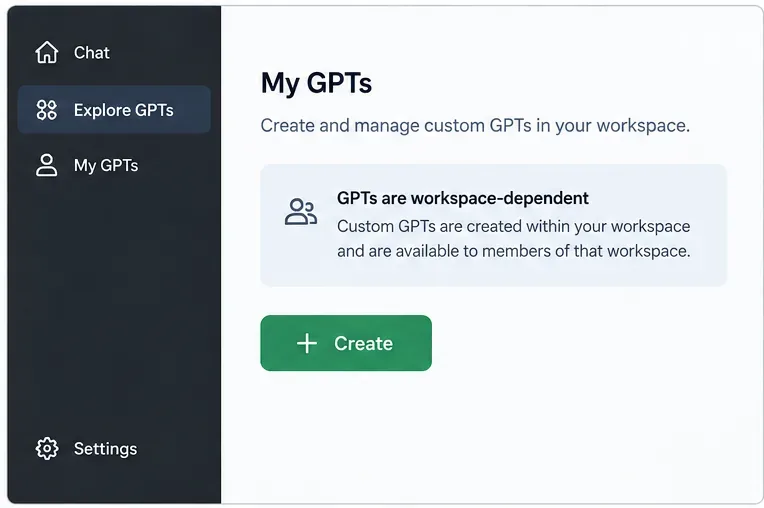
Start with eligibility, because a missing Create button may now be expected behavior rather than a browser problem. OpenAI's current GPTs in ChatGPT guidance says new GPT creation is not available on personal accounts. Managed workspaces can still expose GPT creation based on admin policy and role permissions. If you already own an existing GPT, check whether editing is still available to your account.
In eligible managed workspaces, start from the GPT area; availability depends on workspace permissions.
Do not spend time troubleshooting knowledge retrieval until you know you are working in a supported editor. If your organization is already moving to Plugins, treat the remaining Custom GPT as a migration candidate rather than a new long-term dependency.
2. Separate behavior instructions from knowledge
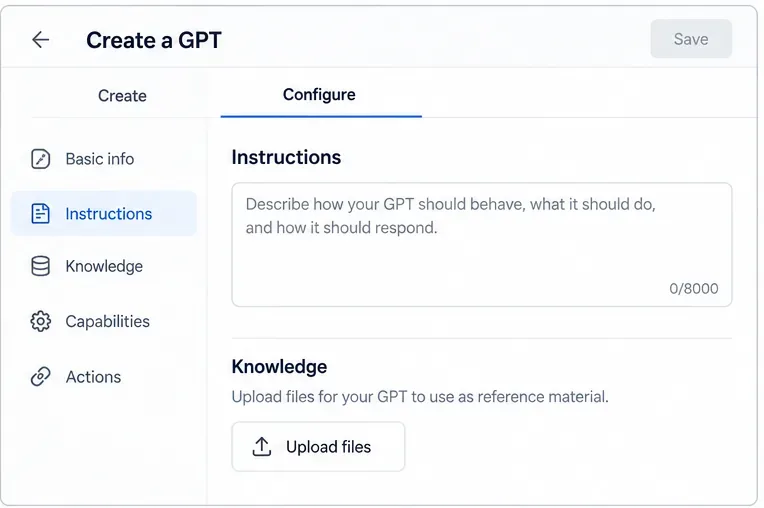
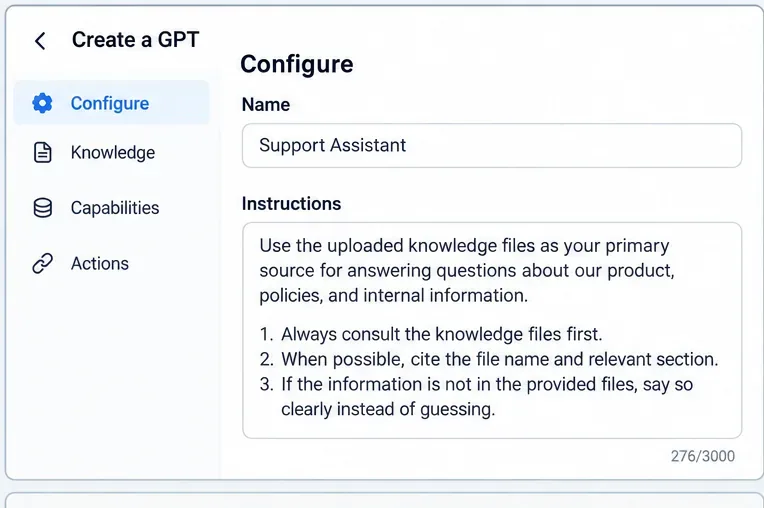
Use the Instructions field for rules such as tone, decision order, citation format, escalation behavior, and what the GPT should do when a source is silent. Use Knowledge for reference material: handbooks, product documentation, policies, FAQs, specifications, or internal guides. OpenAI explicitly recommends this separation because knowledge works best as source material, while instructions define behavior.
Keep behavior rules in Instructions and reference material in Knowledge.
This distinction matters for reliability. A sentence such as “Never quote an expired price” belongs in Instructions. The actual pricing table belongs in Knowledge. Mixing rules into a large reference PDF makes the behavior harder to control and harder to test.
3. Prepare files for retrieval, not just for human reading
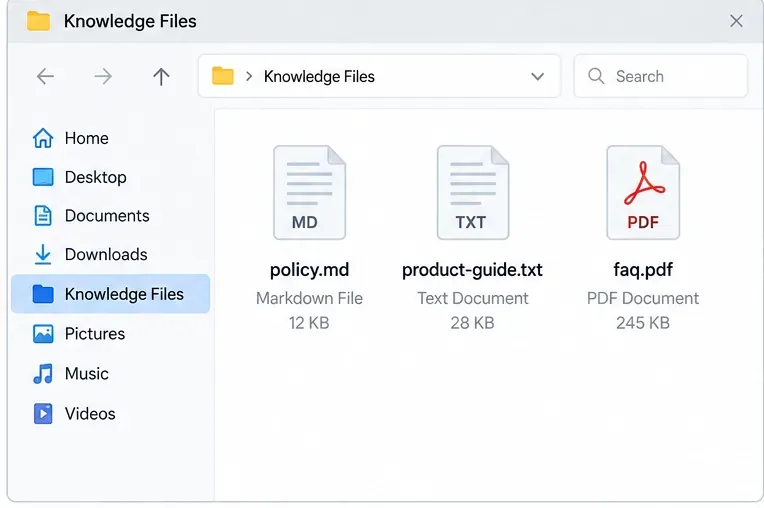
Prefer clear, text-forward files with descriptive headings, short sections, stable terminology, and unambiguous version dates. A beautifully designed brochure can be worse knowledge than a plain Markdown or text file if the critical facts are spread across columns, callouts, screenshots, or decorative layouts.
Text-forward files with clear names and simple structure are easier to retrieve reliably.
This is especially important for PDFs. OpenAI's Visual Retrieval with PDFs FAQ says PDFs uploaded as GPT Knowledge are processed with text-only retrieval. In other words, a chart, diagram, or screenshot inside the PDF should not be the only place where a critical rule exists. Add a text explanation or a text-based companion file.
Also remove stale duplicates. If one file says a return window is 14 days and another says 30 days, retrieval can surface either passage. File names such as returns-policy-2026-09.md and visible “effective date” text make versioning easier to audit.
4. Upload a small, coherent knowledge set and verify it
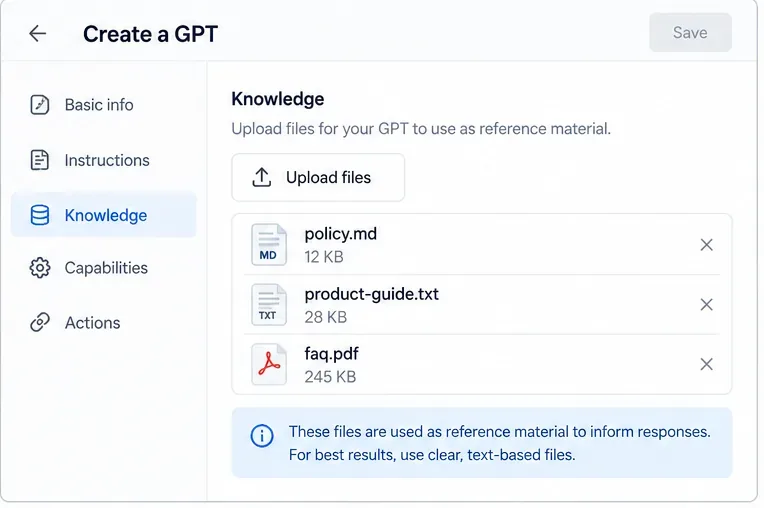
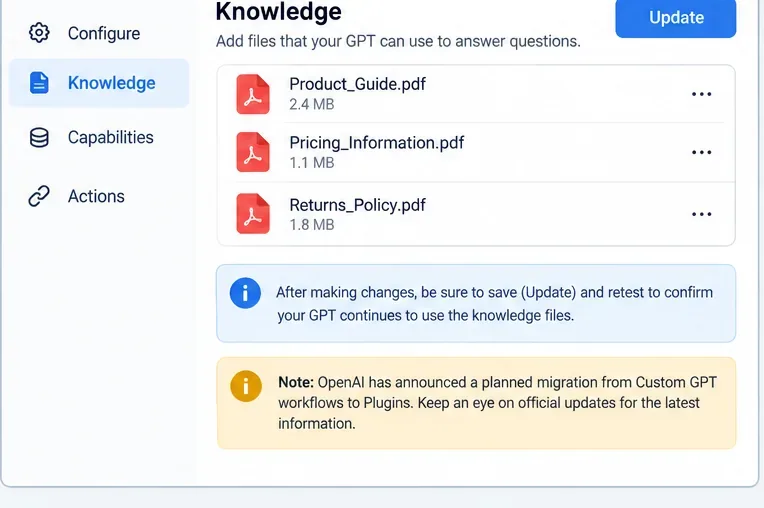
Upload only the files the GPT actually needs. OpenAI's enterprise file guidance notes that fewer, more focused documents generally improve accuracy for file-based retrieval. After upload, confirm every expected file appears in the Knowledge list before moving on.
Upload the reference set, then verify that every expected file appears before testing.
There is currently a documentation inconsistency on file count. The GPT editor guidance says you can attach up to 20 files to a GPT, while the File Uploads FAQ says up to 10 files per GPT for the lifetime of that GPT. Both documents list a 512 MB hard limit per file, and the File Uploads FAQ lists a 2-million-token cap for text and document files. Because the official pages disagree on file count, do not design a critical workflow around the higher number without checking the current editor and documentation for your account.
5. Add retrieval-oriented instructions
Do not rely on a vague instruction such as “Use the uploaded files.” State what should happen when a question belongs to a knowledge-backed domain. A practical pattern is: consult the uploaded knowledge first; prefer it over general model knowledge for company-specific facts; identify the supporting file or section when practical; and say that the information is unavailable when the files do not support an answer.
Retrieval-oriented instructions should define source priority, citation behavior, and a no-guess fallback.
OpenAI's troubleshooting guidance recommends narrower prompts that refer more directly to attached documents when knowledge is not being used well. It also recommends keeping rules and workflow behavior in Instructions rather than burying them in uploaded files. See Troubleshooting GPTs.
Avoid contradictory instructions. “Always answer the user” conflicts with “Never answer unless the file supports it.” Replace that conflict with an explicit fallback such as: “If the knowledge files do not contain the required fact, say that the provided sources do not establish the answer and suggest the approved next step.”
6. Run positive grounding tests in Preview
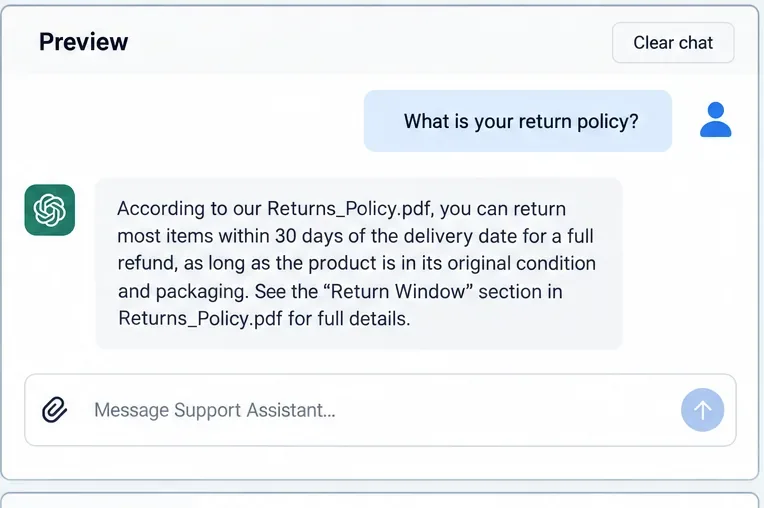
Test questions whose correct answers are definitely present in the files. Do not test only the easiest sentence from the first page. Include questions that require retrieving different sections, recognizing alternate wording, and distinguishing similar policies.
A passing positive test gives the correct answer and identifies the supporting file or section.
For each test, record the expected answer, expected source file, and whether the GPT cited or identified that source when requested. OpenAI Academy's custom GPT guidance recommends building an evaluation set of roughly 10 to 15 representative questions with correct answers. That is large enough to expose recurring failure patterns without turning every edit into a major test project.
Judge the output by whether it is supported, not merely whether it sounds fluent. A polished answer with the wrong policy is a failure. A shorter answer that accurately cites the controlling document is usually the better result.
7. Run negative tests and rephrase tests
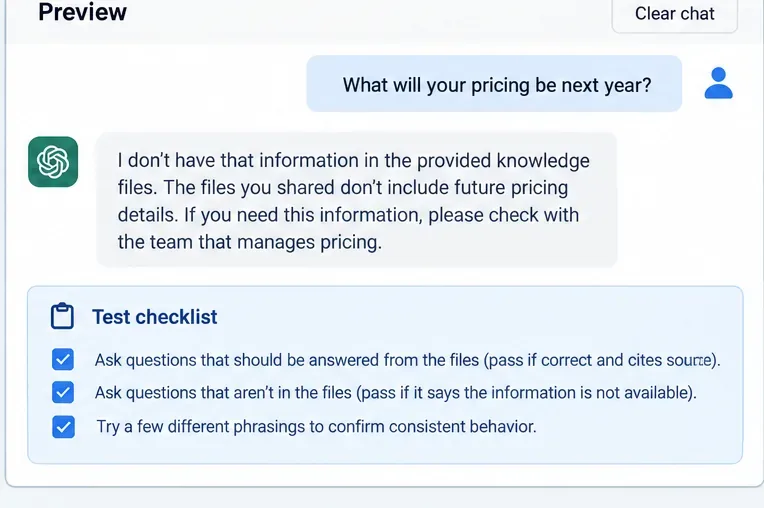
A dependable knowledge assistant must know what it does not know. Ask questions that are intentionally absent from the files: a future price, an unreleased feature, a policy for a country not covered by the handbook, or a date beyond the document's scope. The desired result is a clear limitation, not a plausible invention.
Negative tests matter: the GPT should admit when an answer is not in the files and stay consistent across rephrasings.
Then rephrase a few positive and negative questions several ways. If “What is the refund window?” works but “How long do I have to send it back?” fails, the issue may be retrieval coverage rather than missing knowledge. Improve headings, terminology, or instructions before adding more files.
8. Version updates, retest, and know when static Knowledge is the wrong tool
Whenever you change a source, remove the obsolete version, attach the current one, save or update the GPT, and rerun the same evaluation set. Keeping a small change log outside the GPT can help you identify whether a regression came from new instructions, a replaced source, or a platform change.
After changing source files or instructions, save the update and rerun the same evaluation set.
Static Knowledge has limits. If the source changes constantly, access must reflect per-user permissions, or the assistant needs live operational data, repeatedly uploading files is fragile. OpenAI's apps with sync documentation describes indexed connected sources that stay updated while respecting source permissions. OpenAI is also steering Custom GPT workflows toward Plugins, so a frequently changing knowledge base is a strong candidate for a connected or migrated architecture rather than a growing pile of static files.
How to diagnose a GPT that still “forgets” a file
If a known fact is missed, first prove that the fact is actually present in an attached, current file. Then ask a narrower question that names the document or topic. If the narrow question works, improve retrieval cues by simplifying headings, splitting an overly broad document, or removing competing versions. If the narrow question still fails, convert the critical material to cleaner text and test again.
Do not immediately solve every miss by adding more instructions. Excessive or conflicting rules can make behavior less predictable. Likewise, do not add more files until you know the existing set is clean. The quality signal you want is repeatability: the same small evaluation suite should pass after each change, especially for high-risk policy, legal, pricing, or operational questions.
The practical limit: you can improve retrieval, not guarantee it
No prompt can make a generative model consult every knowledge file on every response with absolute certainty. A reliable Custom GPT is therefore an engineered workflow, not a one-time upload: focused source files, explicit source-priority instructions, a defined abstention behavior, and repeatable evaluation. If those controls still do not meet the accuracy or freshness you need, change the architecture rather than continuing to tune the same static setup.
For eligible GPTs, that process can substantially reduce the “it forgot my file” problem. For new work started in late 2026, however, the longer-term decision should also account for OpenAI's announced transition from Custom GPT workflows to Plugins and the availability of connected knowledge sources.