Home
» AI Agents
»
How to Stop ChatGPT from Using Cliché AI Words in Articles
How to Stop ChatGPT from Using Cliché AI Words in Articles
The most reliable way to reduce cliché AI wording is not to hunt for a secret “humanize” switch. As of September 13, 2026, OpenAI’s current ChatGPT documentation gives you several real style controls—clear prompt instructions, Custom Instructions, Base style and tone, and Characteristics—but it does not describe a dedicated setting that automatically removes “AI words” from every article.
That matters because the problem is usually broader than a few vocabulary items. Phrases such as “in today’s fast-paced world,” “unlock your full potential,” “delve into,” “ever-evolving landscape,” or “game-changing solution” can make an article sound generic when they appear without a specific reason. But words such as robust, leverage, or transformative are not inherently bad or uniquely generated by AI. They can be perfectly appropriate in technical, financial, or business writing. The goal is to control repetition, vagueness, and stock phrasing—not to ban normal English.
Misunderstanding #1: “There must be a fixed list of AI words to ban”
There is no authoritative OpenAI list of words that makes text “AI-written.” A phrase becomes a problem because of frequency, predictability, vagueness, or mismatch with the audience. “Seamless integration” may be lazy in a generic software article, while “seamless failover” could be a precise technical description if the system actually behaves that way.
Start by identifying repeated stock phrases and vague claims in the draft rather than assuming every formal-sounding word must be removed.
Action: create a short project-specific avoidance list. Keep only phrases you genuinely do not want. For a general American English article, a practical list might include:
“In today’s fast-paced world”
“In the ever-evolving landscape of”
“Unlock the full potential of”
“Take your ___ to the next level”
“Game-changer” unless the claim is justified
“Delve into” when “explain,” “review,” or “look at” is clearer
“Harness the power of”
“It is important to note that” when the sentence can simply state the point
Do not turn that list into a giant dictionary. A 10- to 20-item list is easier for both the writer and the model to apply consistently.
Misunderstanding #2: “Just say ‘write naturally’ and the problem is solved”
“Write naturally” is underspecified. Natural for a lawyer, a plumber, a financial analyst, a parent, and a technology journalist can mean very different sentence length, terminology, pacing, and formality. OpenAI’s prompt guidance explicitly recommends identifying the task, providing context, and setting the preferred tone and style.
Action: define observable writing rules instead of a vague mood. For example:
Write in plain American English for an informed general reader.

Style rules:
- Lead with the answer, not a broad scene-setting introduction.
- Prefer concrete nouns and verbs over abstract promotional language.
- Use short and medium-length sentences, with occasional longer sentences when needed.
- Do not use stock transitions such as "In today's fast-paced world" or "It is important to note."
- Avoid hype words unless the evidence supports them.
- Give a specific example after an abstract claim.
- Do not repeat the same sentence pattern in consecutive paragraphs.
- If a technical term is the clearest term, keep it and explain it once.
This works better because ChatGPT can test the draft against visible constraints.
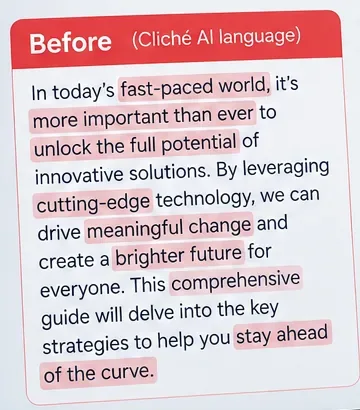
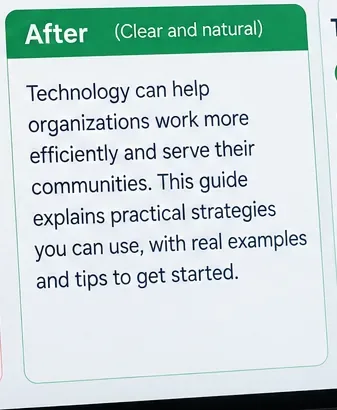
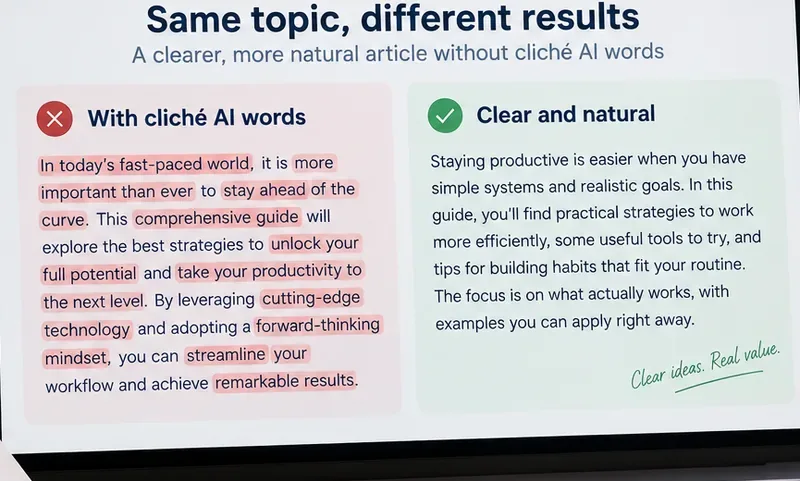
A useful rewrite replaces vague promotional language with specific claims, direct verbs, and a clear statement of what the reader will get.
Should you choose a different ChatGPT personality?
It can help, but it is not the main control for article copy. OpenAI describes Personality as the base style and tone ChatGPT uses when responding. The current options include styles such as Professional, Friendly, Candid, Quirky, Efficient, and others. OpenAI also notes that Personality does not control every type of content you request; ChatGPT can follow the specific tone and style in your prompt and conversation context instead.
For writers trying to reduce padding, the current Efficient personality is a reasonable starting point because OpenAI describes it as concise and plain, with direct answers and less extra wording. But a detailed article prompt can still override or reshape that behavior.
Action: if you want a generally plainer baseline, go to Settings > Personalization > Base style and tone and test Efficient against your current choice. Then keep the article-specific style brief in the prompt. Do not rely on Personality alone.
Characteristics are another current Personalization control. OpenAI says they can adjust qualities such as warmth, enthusiasm, formatting, and emoji use while working alongside Personality, Custom Instructions, and other preferences.
This can matter because excessive enthusiasm often produces extra intensifiers, congratulatory phrasing, and promotional transitions. Lower enthusiasm may make the baseline more neutral, but it will not automatically remove every cliché.
Action: if Characteristics are available in your account, reduce enthusiasm when you want restrained editorial prose. Adjust warmth or formatting only if those qualities are also causing problems. Keep your vocabulary and sentence-level rules in the prompt or Custom Instructions.
Use Custom Instructions for rules you repeat across articles
If you write many articles with the same editorial standards, repeating a long style brief in every prompt is inefficient. OpenAI says Custom Instructions let you provide information you want ChatGPT to consider in its responses and that the instructions apply across chats. On web and desktop, the current path is Settings > Personalization > Custom Instructions.
Action: reserve Custom Instructions for stable preferences, not topic-specific facts. A compact version could be:
For article writing:
Use plain American English.
Avoid generic scene-setting introductions and promotional filler.
Prefer concrete examples, precise verbs, and short paragraphs.
Do not use these phrases unless necessary: in today's fast-paced world, ever-evolving landscape, unlock your potential, game-changer, delve into, harness the power, take it to the next level.
Do not remove legitimate technical terminology just because it sounds formal.
Vary sentence structure naturally and avoid repeating the same transition.
Then add topic-specific requirements in the conversation itself.
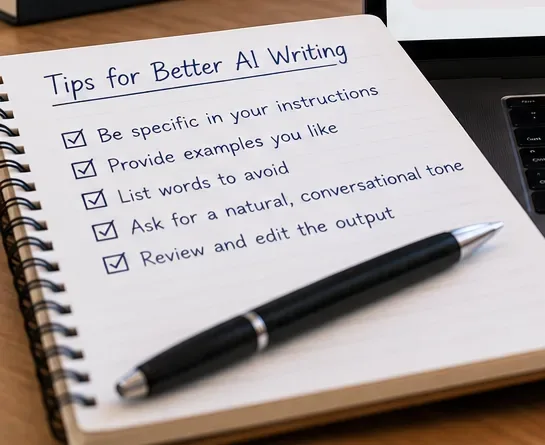
A small reusable checklist is often more effective than an enormous blacklist because it controls both the prompt and the editing pass.
Misunderstanding #3: “If I provide a blacklist, ChatGPT will follow it perfectly”
A blacklist improves direction, but generated language is not a deterministic find-and-replace system. A phrase can still appear, especially in a long article, when the wording is strongly suggested by the topic or earlier context. It is also possible to overcorrect and make the prose stiff because the model is trying too hard to avoid ordinary terms.
Action: require a second-pass check. After the draft, use a separate editing prompt:
Audit this article for generic AI-style wording.

1. Find stock phrases, vague promotional claims, repetitive transitions, and unnecessary intensifiers.
2. Do not change accurate technical terms merely because they are formal.
3. Rewrite only the weak passages.
4. Preserve facts, links, headings, and the intended meaning.
5. Return the revised article, not a list of suggestions.
Separating drafting from editing gives the model a narrower job on the second pass. OpenAI’s prompt guidance recommends iterative workflows for complex tasks rather than trying to force every goal into one instruction.
Give ChatGPT examples of the voice you actually want
Instructions describe a style; examples demonstrate it. If you have two or three paragraphs from your own publication that represent the right voice, provide them as style references. The examples should be short enough that the model can focus on the writing traits rather than copying content.
Action: tell ChatGPT what to imitate and what not to copy:
Use the following passages only as style references.
Match their directness, paragraph length, sentence rhythm, and level of formality.
Do not reuse their facts, names, examples, or distinctive phrases.

[PASTE 2-3 SHORT STYLE SAMPLES]
Then add the actual article brief below the examples.
What should you ask the model to do instead of using clichés?
Negative instructions work better when paired with a replacement behavior. “Do not say ‘delve into’” removes one option. “Use the verb that directly describes the action—explain, compare, test, calculate, review, or summarize” gives the model a better path.
Weak pattern
Better instruction
Example rewrite
“In today’s fast-paced digital landscape...”
Open with the actual problem, change, or result.
“Small retailers can now accept tap-to-pay without a separate card reader.”
“This comprehensive guide will delve into...”
State exactly what the guide covers.
“This guide compares the three repair options and shows when to use each one.”
“Unlock the full potential of...”
Name the measurable benefit.
“Use batch processing to cut repetitive data-entry steps.”
“A game-changing solution”
Describe the capability or evidence.
“The new setting lets admins revoke access without deleting the account.”
“It is important to note that...”
State the fact directly.
“The free plan does not include export history.”
Do you need to remove every formal or repeated word?
No. Over-editing can reduce precision. A cybersecurity article may legitimately use threat landscape. A software review may need integration many times because integration is the subject. A legal or financial article may require formal terminology that sounds less conversational.
The important distinction is between necessary domain language and replaceable filler.
Action: add one protective rule to the edit prompt: “Keep established technical, legal, medical, or financial terms when they are the most precise wording.”
Use a factuality pass separately from a style pass
A polished rewrite can still contain an inaccurate statement. Style editing should not become an excuse to rewrite numbers, dates, quotations, product limits, or technical behavior from memory.
Action: use two explicit checks:
Fact check: verify names, dates, numbers, product behavior, and claims against the approved sources.
Style check: remove filler, clichés, repetition, weak verbs, and unnecessary hype without changing verified facts.
This is especially important when an article includes current software features, prices, laws, medical guidance, or other information that changes over time.
A reusable prompt for cleaner article drafts
Write an original article in American English for [AUDIENCE].

Goal:
[WHAT THE READER SHOULD BE ABLE TO UNDERSTAND OR DO]

Voice:
Direct, calm, specific, and practical. Sound like an experienced editor, not promotional copy.

Avoid:
- Generic scene-setting introductions
- Unnecessary superlatives and hype
- Repetitive summary sentences
- Stock phrases such as: in today's fast-paced world, ever-evolving landscape, delve into, unlock the full potential, harness the power, game-changer, take it to the next level
- Calling something seamless, robust, revolutionary, transformative, or innovative unless the context supports that exact description

Prefer:
- Concrete verbs and nouns
- Specific examples
- Short paragraphs
- Natural variation in sentence length
- Direct transitions based on logic, not filler
- Necessary technical terminology when it improves precision

Before finalizing:
Review the draft once for cliché phrasing and replace only the weak passages without changing verified facts.
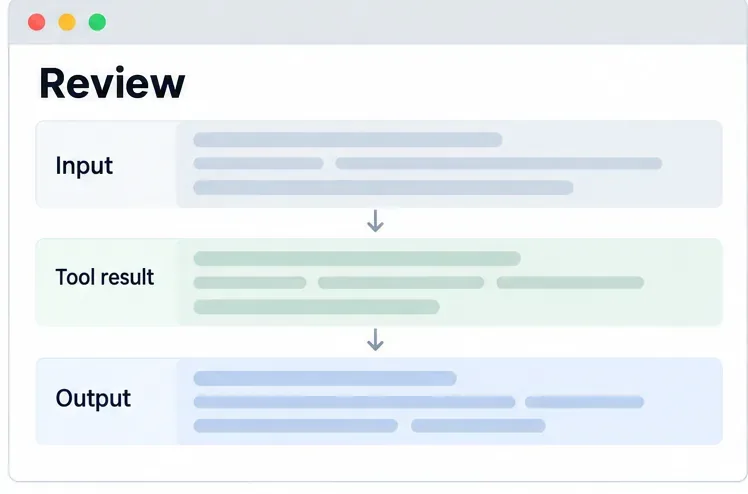
Review the output as a pattern, not a word hunt
The strongest final check is side-by-side comparison. Ask whether the article repeatedly starts sections in the same way, makes broad claims before giving evidence, uses promotional adjectives where a fact would be stronger, or summarizes the same idea more than once.
The final editing pass should compare patterns—opening style, specificity, sentence rhythm, and evidence—not merely delete a handful of suspicious words.
Action: end the workflow with one narrow instruction:
Read this as a copy editor.
Remove generic AI-style phrasing, repetition, throat-clearing, and unsupported hype.
Keep the article's facts, useful detail, technical terms, and natural transitions.
Do not make every sentence short or casual.
Return only the edited article.
Bottom line
You cannot reliably improve ChatGPT articles by banning a long list of supposedly “AI” words. The better approach is to define the voice you want, identify a small set of phrases you genuinely dislike, provide examples, use Custom Instructions for stable preferences, adjust Personalization when it helps, and run a separate editing pass after the draft.
OpenAI’s current tools support that workflow, but none of them replaces editorial judgment. Treat cliché reduction as a writing-quality problem: make claims specific, replace filler with information, preserve legitimate domain language, and review the article for patterns before publishing.